Avrline
For Denon and Marantz AV receivers
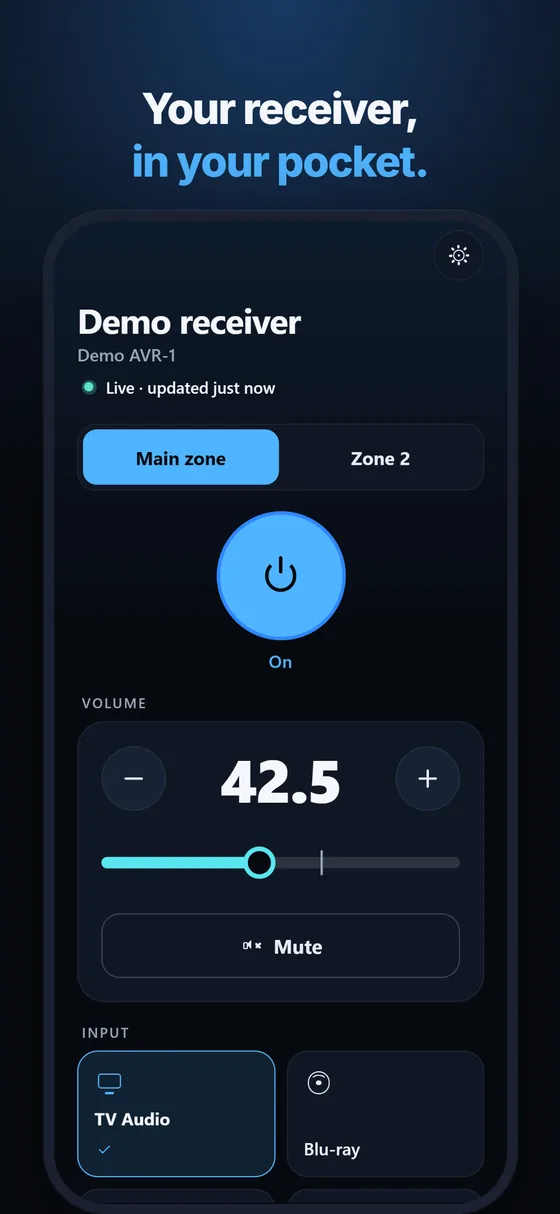
Your AV receiver, in your pocket: power, volume, inputs, sound modes and zone 2 on your home Wi-Fi. No account, no cloud, and every control works with VoiceOver.
For networked AV receivers at home · iPhone · In development — not yet on the App Store
What it does
- Turns the main zone and zone 2 on and to standby (never the whole system by accident)
- Volume as the receiver counts it, in half steps, with − / + and a slider that sends one value when you let go, plus mute
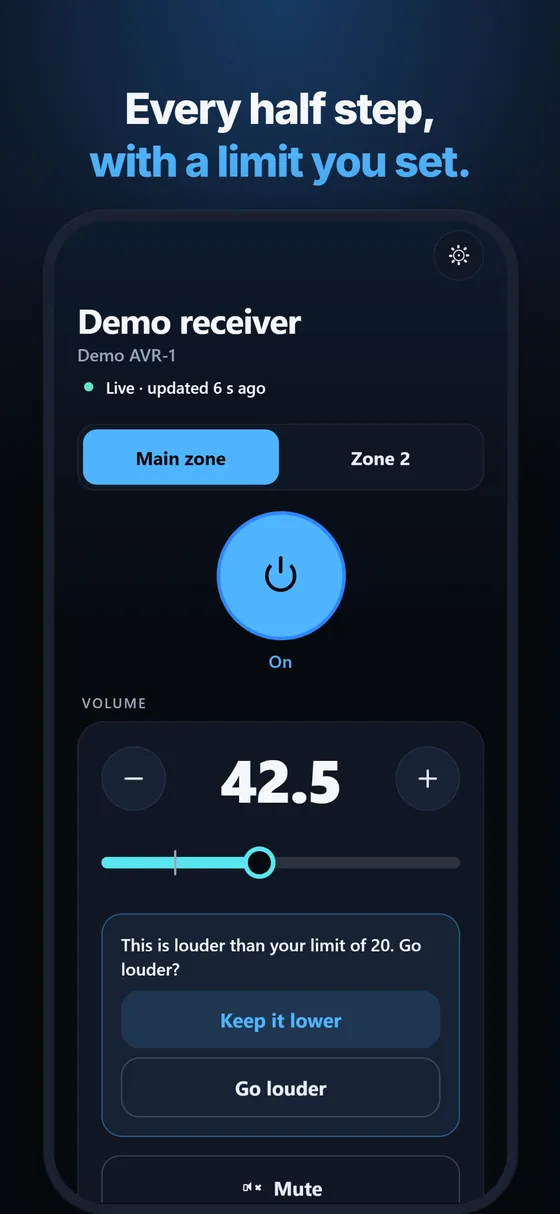
- A volume limit you set: above it, Avrline asks once before going louder
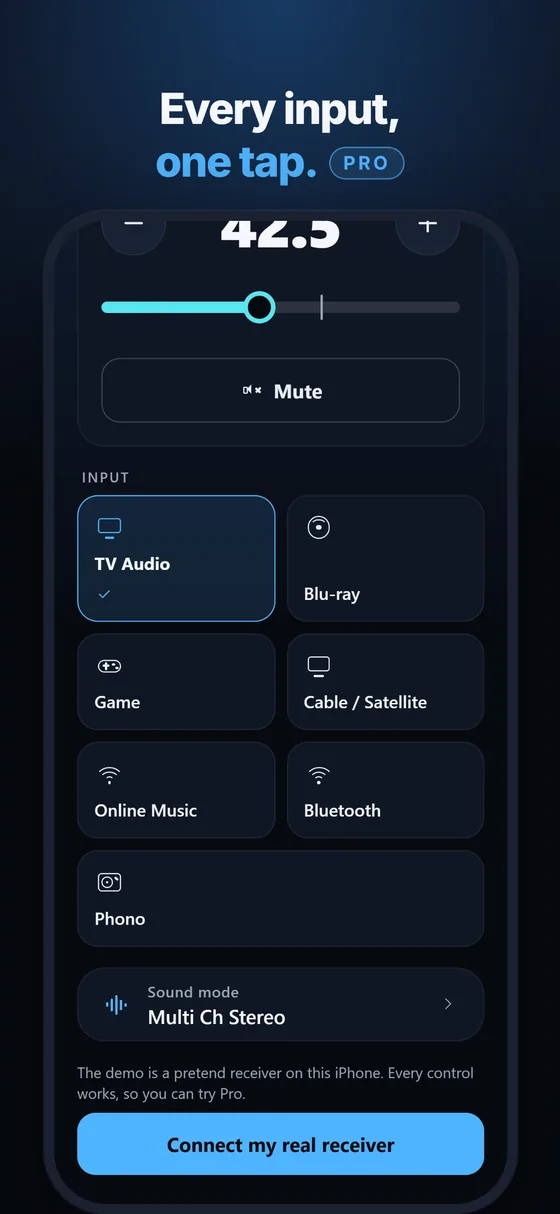
- Inputs (TV, Blu-ray, Game, Cable / Satellite, Media Player, Online Music, Bluetooth, Tuner, Phono and more) and the sound mode
- Shows a change as done only when the receiver reports it, and follows the receiver when you use its own remote or knob
- Lets go of the receiver when you leave the app, so your other remotes and home automation keep working
- Every control has a VoiceOver label and value, and the volume adjusts with the VoiceOver rotor
- Several receivers; finds them on your home network by itself; in English and German
How it works
Denon and Marantz network receivers have a documented local control port (TCP port 23) for home automation. Avrline uses it directly on your home network: no account, no cloud, no other app. There is no tracking and no advertising. The receiver must be on your network with "Network Control" set to "Always On" in its network setup menu, or it cannot be woken from the app. Avrline works at home only.
Works with
Denon and Marantz AV receivers with a network connection (the AVR-X and AVR-S series from Denon, the SR and NR series and the Cinema series from Marantz, and earlier network models). Not every model has been tested: the free version shows at once whether yours answers, before you buy Pro. These receivers accept one control connection at a time; if a home automation system holds it, close that first. Your iPhone must be on the same network. No receiver nearby? The app has a demo where everything works.
Price
Free to download: power, volume and mute for one receiver. Avrline Pro is a one-time purchase (no subscription) that adds the inputs, the sound modes, zone 2 and more than one receiver.
Questions owners ask
Is there a Denon or Marantz receiver remote other than the official app?
Yes. Avrline talks to the receiver's own control port on your network, so it needs no Denon or Marantz app or account, and it opens straight to your receiver.
The official app keeps losing the connection. Is Avrline different?
Avrline keeps one connection while it is on your screen, checks that the receiver still answers, and reconnects by itself. When a command is not confirmed, it says so instead of guessing.
Can it stop the volume from going too loud?
Yes. Set your limit in Settings; above it Avrline asks once before sending the higher value. The slider sends one value when you let go, never a burst of steps.
Does it work with VoiceOver?
Every control has a label and a value (for example "Volume, 42.5"), and the volume can be adjusted with the rotor.
Does it work away from home?
No, only on your home network.