
Wattline for Fronius
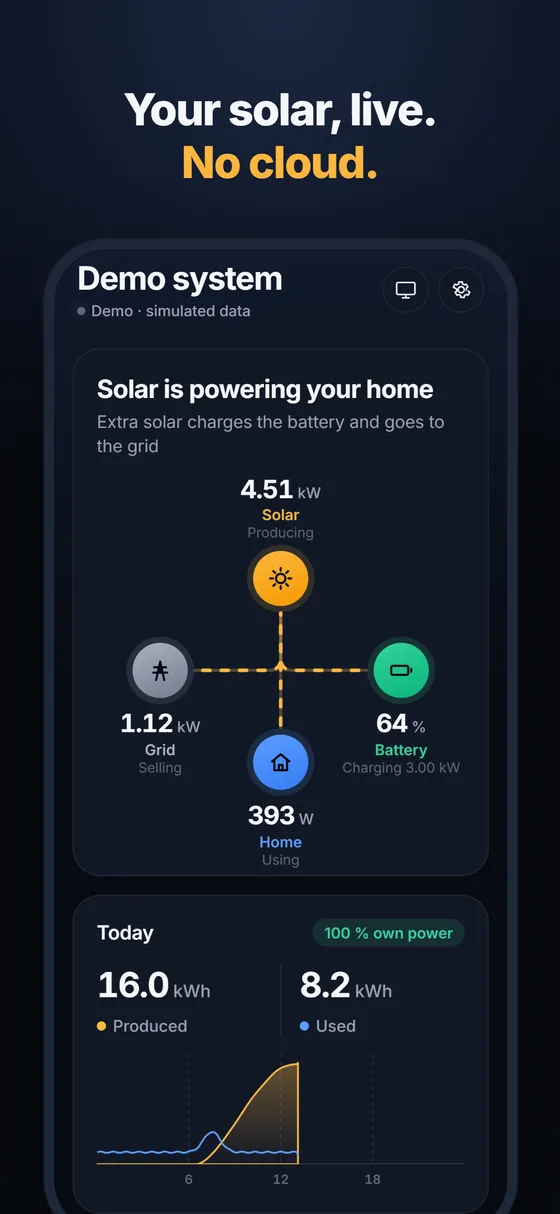
Your home solar system, live on your iPhone. Straight from your inverter, no cloud.
For owners of Fronius inverters · iPhone · In development — not yet on the App Store
What it shows
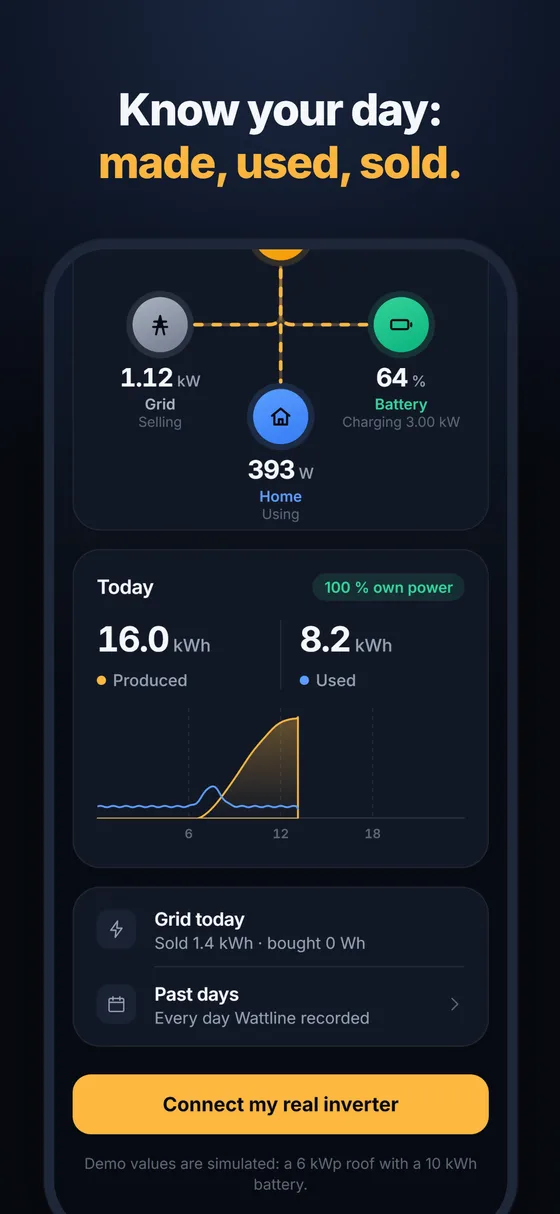
- Solar production, home use, grid buying or selling and battery charge, refreshed every 5 seconds
- Today’s energy: produced, used, sold, bought and your self-sufficiency
- A chart of today’s solar and home use, and a history of past days
- Finds your inverter on your home network by itself; no IP address needed
- In English and German
How it works
Wattline reads the Fronius Solar API v1 directly on your home network. It works without the internet and without the manufacturer’s cloud. There is no account, no tracking and no advertising; your data stays on your iPhone. It only reads data and never changes inverter settings.
Works with
Fronius inverters and Datamanagers that offer the Solar API v1: Symo, Primo, Galvo, Eco, IG Plus with Datamanager, Symo Hybrid, and GEN24 Plus / Primo / Symo, Tauro and Verto. On GEN24, Tauro and Verto the owner switches on “Solar API” in the inverter’s web page (Communication).
Price
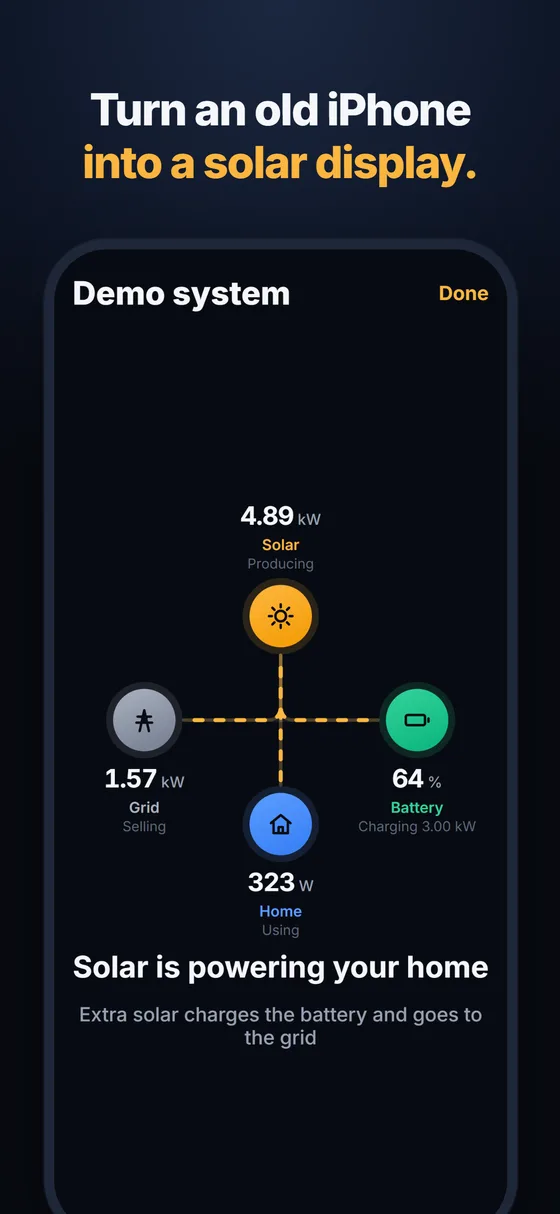
Free to download. Wattline Pro is a one-time purchase (no subscription) that adds full history, CSV export, a wall display mode and more than one system.
Questions owners ask
Solar.web is offline or slow. Does Wattline help?
Yes. Wattline does not use Solar.web or any cloud: it reads your inverter directly on your home Wi-Fi, so it keeps working when Solar.web or your internet connection is down. Home use and grid values need a Fronius Smart Meter, as in Solar.web.
Do I need a Fronius account or the internet?
No. Your iPhone only has to be on the same Wi-Fi as the inverter. There is no account and no server.
Is this the Fronius local API?
Yes, the Fronius Solar API v1, the same local interface the Home Assistant Fronius integration uses. Wattline only reads; it never changes inverter settings.
Is there a home-screen widget?
Not yet. Today, the wall display mode turns an old iPhone into a live solar display that stays on.
Does it work away from home?
No, only on your home Wi-Fi. That is what keeps it free of accounts and clouds.