


Whole episodes, in order
Parts target about a minute and prefer a scene change or a pause after a finished sentence. If neither is available, Vertical falls back to another pause. The full video is covered in order, with no gaps.
Send footage you own or are licensed to use. Vertical's software cuts it into 9:16 parts with a speaker-following camera and word-by-word captions. The scope is agreed by email after we look at your source.
Request a quote Watch the product demo
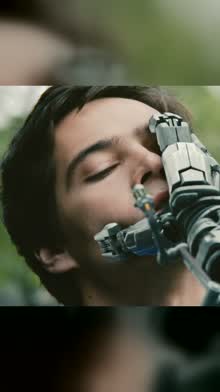
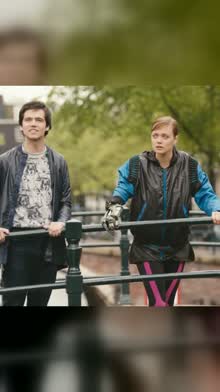
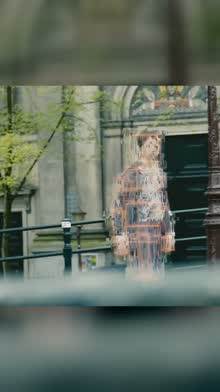
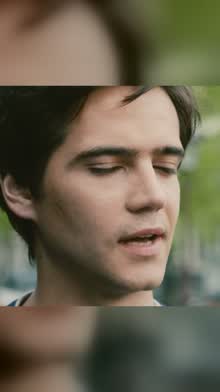
Product demo, not customer work. Left, the original scene. Right, the automated output Vertical made from it. Footage: Tears of Steel, © Blender Foundation, mango.blender.org, CC BY 3.0.
A single historical benchmark, not a guarantee. Part count and processing time depend on your footage and hardware.
Up to 60 minutes for the $29 service, in one of the 32 supported languages. Bring your own subtitle file, or captions are made from the dialogue.
It finds the scene changes, transcribes the dialogue, follows the faces, and cuts the whole video into parts of about a minute.
Post the parts with the captions burned in, or show them as a vertical feed in your own player.
Parts target about a minute and prefer a scene change or a pause after a finished sentence. If neither is available, Vertical falls back to another pause. The full video is covered in order, with no gaps.
It holds on whoever is speaking, cuts between people, and opens up for wide shots. Small faces in the background are left out when it picks the speaker.
Word-by-word highlighting from the dialogue or your own subtitle files, in 32 supported languages, including right-to-left scripts and languages written without spaces, such as Chinese, Japanese and Thai.
Moments picked automatically with a drama or a sport score, exported with the captions burned in.
Two consecutive parts side by side with the original, then three highlights: automated output from the product on credited sample footage.
Direct link: atesensoftware.com/vertical/media/vertical-demo.mp4 (2 min 49 s, 11 MB). Footage: Tears of Steel, CC BY 3.0.
Clip tools pick the moments they rate best. Vertical keeps every minute of the video, in order, and adds a highlight reel on top.
| Question | Vertical | Clip tools* |
|---|---|---|
| What comes back | Every minute as parts of about a minute, plus a highlight reel | A selection of AI-picked clips |
| Where cuts fall | Prefers a scene change or a pause after a finished sentence; otherwise another pause | Around the moments the tool picks |
| Where it runs | On our own PC | In the tool's cloud |
| How you pay | $29 per video up to 60 min, quoted by email | Monthly plans paid in credits: OpusClip Starter $15 a month, Submagic Starter $19 a month per member |
* OpusClip and Submagic, from their own pricing pages (opus.pro/pricing and submagic.co/pricing) on 12 October 2026. Their prices and plans can change; check their pages.
The creator service is $29 per video up to 60 minutes. Studio library work is $60 per source-video hour; scope and payment terms are confirmed by email.
For studios and rights holders with titles they own or are licensed to process.
$40 per hour from 100 hours. Whole seasons, back catalogues, sport archives.
Podcasts, talks, matches, courses and events you own or are licensed to use. We turn the video into vertical parts and a highlight reel with captions burned in. Email us first; there is no online checkout, and payment is arranged by email once the scope is agreed.
One file per video (MP4, MOV, MKV or MXF) and your subtitle files if you have them (IMSC/TTML, DFXP, SRT or WebVTT). Send them with the transfer service you already use, once the scope is agreed by email.
MP4 parts at 1080 × 1920, a WebVTT caption file for each part, word timings as JSON, a JSON index of all parts, and a highlight reel. Parts can also come with the captions burned in, ready to post.
We do not promise a fixed turnaround; timing is discussed in your quote. As one past benchmark, processing took about 30 minutes for a 98-minute film on one PC.
Vertical has no posting feature, so nothing is published for you. Ask about handling, confidentiality and how long files are kept before you send anything.
Captions in 32 supported languages, including English, Turkish, Arabic, Hebrew, Chinese, Japanese, Korean and Thai. Vertical can automatically try to sync your subtitle file to the audio, correcting a constant offset or frame-rate mismatch when it finds a reliable match. Caption accuracy depends on the language and the audio.
The JSON index lists every part with its start and end times and its caption files; Vertical's own swipe player reads the same index. Your developers can use it to show the video as a vertical feed.
Sending an email is an enquiry, not an order. Payment terms are agreed with you by email after we review the source and confirm the scope.
Email us the length and language of your video and whether it is the $29 creator service or a studio library. Confirm that you own or are licensed to use the footage. This is an enquiry, not an order.
support@atesensoftware.com