Bluebeam Revu takeoff tool sets for MEP estimators
Atesen's Bluebeam tool sets are ready-made Tool Chest files (.btx) for electrical, mechanical/HVAC and fire protection plus plumbing takeoff in Revu 20 and Revu 21. Each set costs $39, or $99 for all three. Import a set, calibrate the sheet and start counting devices and measuring runs. Every count, length and area tool already carries its trade, system, CSI cost code and a waste allowance.
$39 per trade set · $99 for all three · one-time payment · use on every seat in your company · 14-day refund
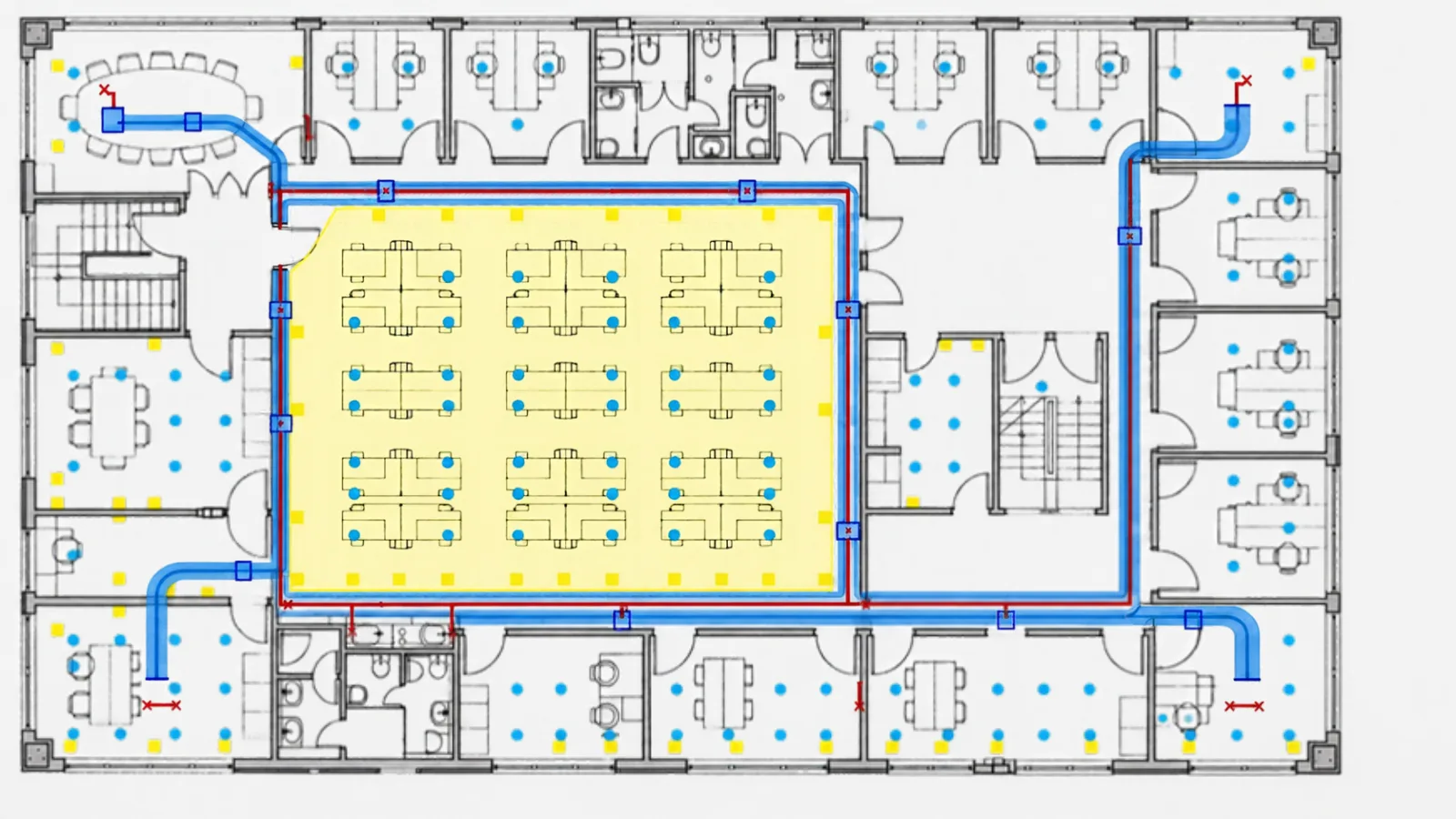
What is in each set
| Set | Count tools | Length tools | Area tools | Symbols |
|---|---|---|---|---|
| Electrical | 19 | 8 | 2 | 22 |
| Mechanical / HVAC | 12 | 8 | 2 | 18 |
| Fire protection and plumbing | 18 | 9 | 2 | 18 |
- Electrical. Counts for duplex, GFCI, quad and dedicated receptacles, floor boxes, switches, dimmers, occupancy sensors, 2x4 and 2x2 fixtures, downlights, exit signs, emergency lights, junction boxes, data outlets, panelboards, disconnects and equipment connections. Length tools for 3/4 in and 1 in EMT, underground PVC, MC cable, homeruns, feeders, cable tray and low-voltage cable.
- Mechanical / HVAC. Counts for supply diffusers, return and exhaust grilles, linear diffusers, VAV boxes, fire/smoke and volume dampers, thermostats, exhaust fans, rooftop units, split-system indoor units and unit heaters. Length tools for supply, return, exhaust and flexible duct, refrigerant piping, condensate, heating hot water and chilled water.
- Fire protection and plumbing. Counts for pendent, upright, sidewall and concealed sprinklers, fire department connections, extinguisher cabinets, smoke detectors, pull stations, horn strobes, water closets, lavatories, urinals, sinks, floor drains, cleanouts, hose bibbs, water heaters and drinking fountains. Length tools for sprinkler mains and branch lines, cold water, hot water, hot water return, sanitary waste, vent, storm drain and natural gas.
Each set also has area tools (lighting zones, served zones, sprinkler coverage, trench areas) and a page of standard legend symbols drawn from common conventions: letters in circles and boxes, triangles for low-voltage outlets, crossed squares for supply diffusers. The symbols are our own drawings, not a copy of any manufacturer's or Bluebeam's set.
Why these and not the free symbol sets
Bluebeam's community library already gives away symbol sets for each trade. Symbols place a drawing; they do not count anything. These sets are takeoff tools first:
- Every count, length and area tool has its own Subject that starts with its trade (E -, M -, FP -, FA -, P -), so the Markups list summary groups quantities by trade without renaming anything.
- Four custom column values come with every count, length and area tool: Trade, System, Cost Code (CSI MasterFormat section) and Waste %. Export the Markups list to Excel and the quantities arrive already coded.
- Line styles that read on a busy sheet: solid, dashed and dash-dot runs in distinct colours and widths, so hot water, vent and gas do not look alike.
- Every tool name and label is plain text, so you can rename, recolour or recode anything in Properties and save it back to your Tool Chest.
Moving from Revu 20 to Revu 21
Bluebeam ended technical support for Revu 20 on 31 July 2026, and Revu 20 reaches end of life on 31 December 2026, when Studio and API access stop (Bluebeam: Revu 20 End of Life). A .btx tool set is the file Revu uses to move tools between computers and versions: you import it in the Tool Chest under Manage Tool Sets (Bluebeam: How to share tool sets). Both versions import .btx sets through Manage Tool Sets, so these sets are made to be imported in either version; if one does not import in your Revu, you get a full refund within 14 days. Our guide how to move your tool sets from Revu 20 to Revu 21 covers exporting your own sets too.
How it works
- Buy a set or the bundle. Checkout is handled by Paddle, the merchant of record.
- Download the zip. It holds the .btx file, a Read me and a CSV list of every tool with its preset values (symbols have none).
- Import into Revu. Unzip, then Tool Chest > Manage Tool Sets > Import, or drag the .btx file from File Explorer onto the Revu window.
- Create the four custom columns once. Revu keeps custom column definitions in your profile, not in a tool set, and a tool set stores the values as an ordered list without column names, so create the columns in the order given. The Read me lists the four columns and their types; it takes about two minutes, then Save to Profile.
- Calibrate and take off. Calibrate each sheet, then count, measure and export the Markups list summary.
Price
| Set | One-time price | What you get |
|---|---|---|
| Electrical takeoff tool set | $39 | 51 tools, Read me, tool list CSV |
| Mechanical / HVAC takeoff tool set | $39 | 40 tools, Read me, tool list CSV |
| Fire protection and plumbing takeoff tool set | $39 | 47 tools, Read me, tool list CSV |
| MEP bundle (all three sets) | $99 | All 138 tools; saves $18 |
Prices exclude VAT or sales tax where it applies. One purchase covers every Revu seat in your company. Updates to version 1 are free.
Choose a set
Online checkout is opening soon. Until then, choose a set and send the email: we reply the same business day with a Paddle payment link, and send your download link as soon as the payment clears. After online checkout opens, your download page opens right after payment; if it does not, email us the order number from your Paddle receipt.
Checkout is handled by Paddle, the merchant of record. Refunds: full refund on request within 14 days of payment, by email to support@atesensoftware.com, for example if a set does not import in your Revu.
Questions
Which Revu versions do the sets work with?
They are made for Revu 20 and Revu 21 on Windows, which both import .btx tool sets through Manage Tool Sets. If a set does not import or a tool does not behave as described in your Revu, email us within 14 days for a full refund.
Which Revu plan do I need?
Core, Complete or Max in Revu 21, or any Revu 20 edition with measurement tools. Bluebeam notes that on the Basics plan, measurement tools beyond length and area may be unavailable, so the count tools may not work there (Bluebeam: How to share tool sets). The sets add no features of their own; they are presets for the tools your Revu already has.
Are the custom columns included?
The values are included in every count, length and area tool; the column definitions are not, because Revu does not store them in a tool set. You create the four columns once, in the order the Read me gives, and save them to your profile.
Can I change the cost codes or colours?
Yes. Edit a tool in Properties and save it back to the Tool Chest. The cost codes are CSI MasterFormat section numbers as a starting point; most estimators swap in their own.
Is depth or volume preset?
Not in version 1. Set Depth on an area tool in Properties when you need a volume.
Can I share the files with another company?
No. One purchase covers every seat inside your company; please do not resell or post the files.
Bluebeam and Revu are trademarks of Bluebeam, Inc. Atesen Software is not affiliated with or endorsed by Bluebeam.