How to download all attachments from Xero at once
To download attachments from Xero bills in bulk, connect your organisation to Attachment Bundler and run a free file count. You can then export the files in dated ZIPs with a CSV index. Xero's built-in download works one file at a time.
The count is free and needs no card. The $29 Export Pass covers up to 1,000 files for one organisation if you don't already have a plan. Works with Xero. Not affiliated with, endorsed or certified by Xero.
Xero has no download-all button
For one bill, go to Purchases and select Bills. Open the bill, click Files, choose View next to the attachment, then click Download. On a sales invoice, start with Attach files. Xero Central shows the steps for each transaction type.
Xero knows the gap. The Product Ideas request Document - Bulk export/print attached files had 699 votes and the status Accepted when we checked on 13 November 2026. On 20 November 2025 Xero's community manager wrote that it is not in Xero's plans at the moment and pointed to third-party apps in the Xero app store.
CSV exports of invoices and bills do not include the attached files either. The export overview on Xero Central lists no attachment export (read on 7 November 2026).
What you get
- Folders by type, year and month. For example
Bills/2025/2025-03/2025-03-14_INV-8812_Acme Supplies_receipt.pdf. The name carries the date, the document number, the contact and the original file name. - An index (CSV) with a row for every file: document number, date, contact, status and total, plus the Xero identifiers so each file traces back to its record.
- Files as Xero returned them. Nothing is converted or compressed.
- ZIP parts of up to 200 files, so a large archive downloads in pieces you can check one by one.
- An error file. A file Xero does not hand over is listed in the index and in
_ERRORS.txt, and is not counted as downloaded. - Optional invoice PDFs. Sales invoices and credit notes can also come as separate PDFs. See download all Xero invoices as separate PDFs.
A new connection started here asks for read-only access. Files stream from Xero to your browser without being stored by us.
How it works
- Connect. Sign in on Xero's own page and choose the organisation.
- Count. The free scan shows how many files are attached and how big they are. Leave the dates empty for all files, or set a range such as the last seven years.
- Download. Take the ZIP parts one by one. Keep the tab open until each part finishes.
- Check. Compare the index and the error file with the scan before you treat the archive as complete.
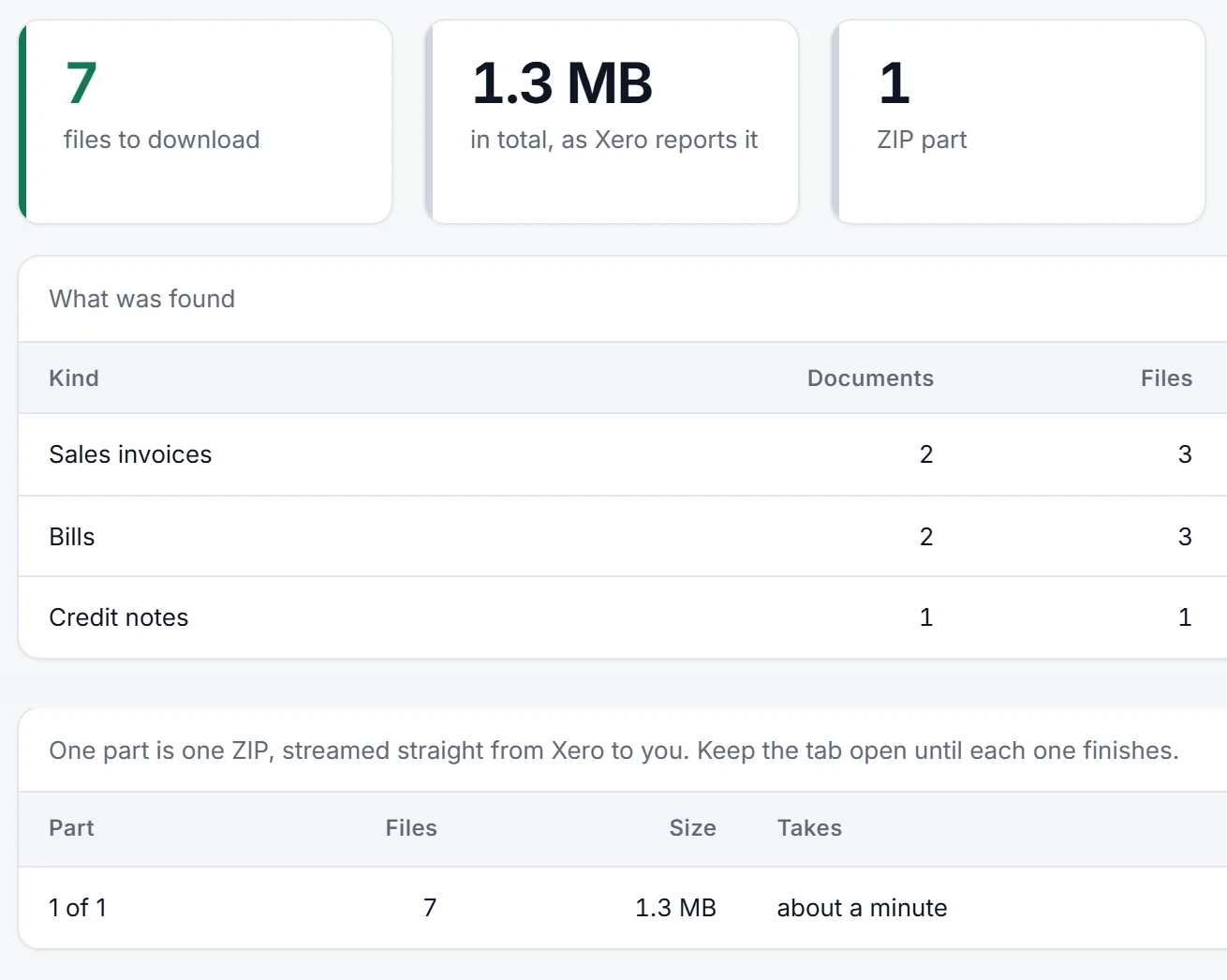
The export covers sales invoices, bills, credit notes and, if you tick them, bank transactions. It does not cover the library inbox, or files attached to quotes, purchase orders, manual journals or contacts. Deleted documents are skipped. Voided ones are included.
Real exports
1,329 files in 10 ZIPs (a UK property company) and 210 files in 2 ZIPs (a UK aviation company), November 2026, no errors.
How long it takes
Xero lets an app make 60 calls a minute and 5,000 a day per organisation. 1,000 files take about 20 minutes. If a day's calls run out or Xero asks the export to wait, the ZIP still closes and opens. The index marks each missing file as not fetched, and you can run the export again for the files you do not have yet.
Fair use for the export is 5 GB per organisation per 30 days.
Price
The scan and the preview cost nothing. The free trial needs no card, processes 3 documents within 14 days and downloads one sample of 25 files. For the full export you pay per connected organisation:
| Plan | Price | What it covers |
|---|---|---|
| Monthly | $39 per month | Unlimited documents for that organisation, the attachment export included |
| Clean-up Pass | $49 once | 30 days from activation, unlimited documents, the export included, no renewal |
| Export Pass | $29 once | Up to 1,000 files (attachments and invoice PDFs) for one organisation, 30 days, no renewal |
| Annual | $290 per year | The same as Monthly, paid once a year |
The Export Pass is only offered when you do not have a plan yet: Monthly and Annual subscribers and Clean-up Pass owners already have the export included. Prices are in US dollars and exclude tax. Paddle adds any tax that applies at checkout. An unused Clean-up Pass, or a first subscription payment with no document processed, is refundable within 14 days. Attachment Bundler is the attachment export of Unapprove, so you connect Xero on the Unapprove site and these are its plans. See the pricing page for the details.
Compared with other tools
Prices were read from each vendor's own page on 13 November 2026 and can change. Several of these tools cover more than attachments, so check what you need before you pick one.
| Tool | Price (checked 13 November 2026) | What it does |
|---|---|---|
| BoxKite | One-off download $49 per organisation. Ongoing plans from $5 a month per organisation, billed yearly; the $15 Professional plan lists files and attachments | Copies the organisation to your own cloud storage. The one-off ZIP has every record and attachment, an Excel workbook and an audit pack. Broader than an attachment export |
| Xportmydata | Single download $120 including files. Plans from $10 a month per organisation, billed annually, with files as an add-on | Accounting data in Excel and CSV, saved to your own cloud storage. Payroll in Australia, New Zealand and the UK is an add-on |
| Numerint | Per attachment, no subscription, tax exclusive: £10 minimum, £300 ceiling. Its examples: 550 attachments £30.39, 1,350 £70.25, 5,000 £189.28 | Exports every attachment it finds, with your accounting data. The scan is free and shows your exact price. Repeat runs charge only for new or changed files |
| BulkOps | $29 one-off pass per organisation for up to 1,000 items. Larger jobs $29 per 1,000 items. First 10 items free | Exports files from invoices, bills and credit notes as one ZIP grouped by document number, built on its servers. Also credit note allocation and payment runs. The ZIP is kept 7 days |
| Attachment Bundler | Count free. $29 Export Pass for up to 1,000 files, $49 Clean-up Pass for 30 days, $39 a month or $290 a year per organisation | Exports attachments sorted by type, year and month with a CSV index. Optional sales invoice and credit note PDFs. Files stream to your browser |
Sources: the pricing pages linked in the table, opened on 13 November 2026. Where a cell says nothing about a feature, the page does not mention it. The product may still offer it. For a longer comparison, see Xero attachments export compared.
BulkOps for Xero alternatives for attachment export
BulkOps is made by Microspear and is built around bulk credit note allocation for Xero. Its site, opened on 14 November 2026, also lists payment runs with credit notes, archiving tracking options and an attachment export. It says BulkOps never deletes invoices, bills, credit notes or files, so it is not a bulk void tool.
Its attachment export collects the files on invoices, bills and credit notes for a date range into one ZIP grouped by document number, up to 2 GB per job, and keeps the export for 7 days. The first 10 executed items are free. After that a 9 one-off pass covers up to 1,000 executed items in one organisation, with 72 hours to start jobs.
If the attachment export is the part you need, the alternatives are the other rows in the table above. Attachment Bundler sorts the files by type, year and month, adds a CSV index with a row for every file, can include bank transactions, and streams the files to your browser. The count is free. If you came to void approved invoices in bulk, see Unapprove vs Bulkdozer vs Bulk Void vs SaasAnt.
Who uses this
People who need the files behind the numbers: an auditor asking for a year of receipts, a tax enquiry, a grant application, a year-end file, or a record-keeping archive with names that make sense. Atesen Software, which publishes this page, makes Attachment Bundler. For the data side of record keeping, see how to export all your data from Xero.
Atesen Software is independent. Xero is a trademark of Xero Limited. Works with Xero. Not affiliated with, endorsed or certified by Xero. Questions about this page: support@atesensoftware.com.
Questions people ask
How do I download all attachments from Xero?
Xero has no built-in button for it. Connect an app that works with Xero, count your files for free, then download them as ZIP files with an index. Attachment Bundler does this for bills, sales invoices, credit notes and, if you choose, bank transactions.
Do you keep my files?
No. Files stream from Xero to your browser. We keep the list of documents and file names from a scan, encrypted, for 30 days or until you disconnect.
Which permissions does it need?
A new attachment export connection asks to read invoices, attachments, organisation settings and contacts. To include bank transactions, grant the additional read permission from the export page. If you already connected for clean-up, your organisation can still have the write access you approved earlier. The export only reads. You can grant write access later if you decide to run a clean-up.
How long does a big export take?
About 20 minutes for 1,000 files. Xero allows 60 calls a minute and 5,000 a day per organisation, so a large archive can need more than one day.
What if I have several organisations?
Each organisation is a separate plan, and a count shows its own file total. The Practice plan covers up to 10 Xero organisations for $99 a month. For more than 10, ask us.