Dorafile vs Copla Registry for your DORA register
Your DORA Register of Information may already live in Excel. The buying decision is whether you keep maintaining that workbook or move register maintenance into a dedicated application.
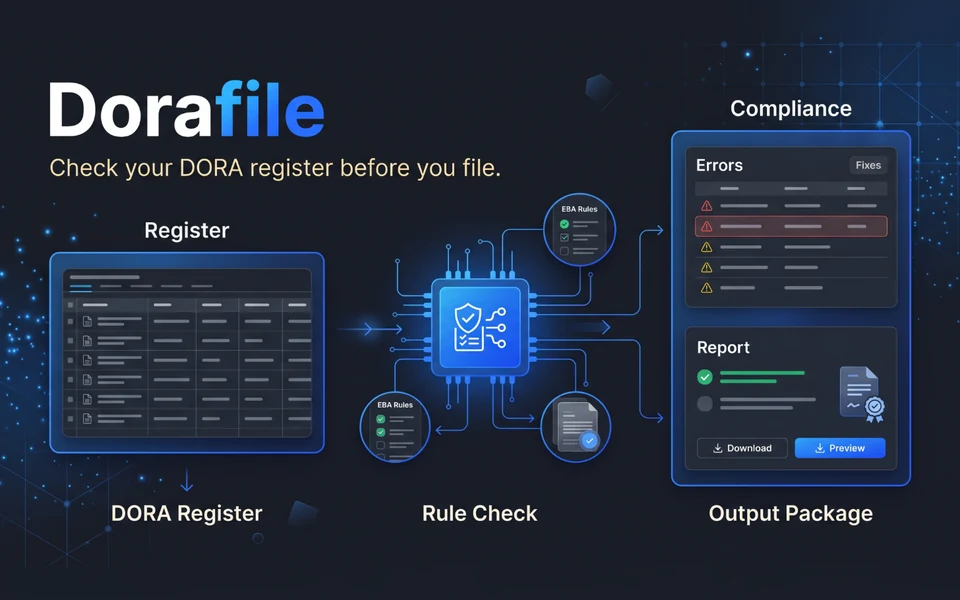
Dorafile checks an existing register against the EBA DORA 4.0 rules and builds the xBRL-CSV reporting package, all inside your browser. Copla Registry is a register application with guided data entry; it imports a register as a structured ZIP, and its documented route for Excel data is to export CSV files in the EBA structure and package them manually (Copla import documentation).
Atesen Software makes Dorafile, so this comparison comes from one of the two vendors. We describe Copla only from its own pages, which we re-opened and checked on 29 October 2026, and we state Dorafile's limits too.
Choose around the work you need to finish
Consider Dorafile when your team already maintains the register in Excel and needs technical findings before it prepares a package. Validation reports are free, so you can inspect every finding before you buy a package licence.
Consider Copla Registry when you want guided entry with linked updates inside a register application. Its product post describes a guided web form that starts from the contract, with data linked across all 15 datasets and format, completeness and logic checks as you enter (Copla product post). That may suit teams rethinking how they maintain the register through the year.
| Decision point | Dorafile | Copla Registry |
|---|---|---|
| Starting workflow | Your existing Excel register (.xlsx) or an existing EBA plain-csv package (.zip) | Guided web-form entry, or import of a ZIP structured to the EBA package specification |
| Evaluation route | Free validation reports, a sample report and an Excel template | Demo and free trial through its trial enquiry page |
| Package preparation | xBRL-CSV package download unlocked by a paid licence | Confirm the required export in your evaluation |
| Pricing | Published USD licence tiers, below | Check current pricing |
The table compares evaluation routes. It does not assume that trial or licence terms are equivalent.
Dorafile lets you assess the workbook you already have
Dorafile reads an .xlsx workbook with one sheet per template, or an existing EBA plain-csv .zip package. It finds each template by the code in the sheet name and each column by its EBA code or label. If a sheet is skipped, the report says why, and a spreadsheet with arbitrary headings may need adjusting. An Excel template is available as a supported starting point.
The checks include empty and duplicate keys, references between templates, values outside the EBA code lists, and dates, integers and amounts in the wrong format. Each finding names the rule, template, row and column, and gives a fix. Blocking findings, which the authorities would reject, are listed first; data-quality findings come back as feedback.
You correct the source register and check it again. To build the package, you set the reference date and the scope (consolidated or individual). The package contains the table CSVs, report.json, parameters.csv and FilingIndicators.csv, under the EBA file name.
This suits a compliance officer who wants Excel to stay the maintained record. It also lets an advisor assess a client's existing file before deciding whether package export fits the assignment. Explore Dorafile.
Copla offers a different place to maintain the register
Copla describes a guided entry interface built around the DORA schema, with data linked across the register's datasets and updates to contracts that cascade through the register. Its documented import route accepts a ZIP only. For Excel data, the guidance says to make sure the CSV files follow the EBA template structure exactly and to package them into a ZIP manually. Evaluate that preparation before you commit to a migration (Copla import guidance).
If your main frustration is keeping relationships consistent across spreadsheets, that approach deserves consideration. If the workbook already works for your team, Dorafile is a narrower step that checks the register and builds the package.
Compare data handling and licence scope
Dorafile processes the register in your browser tab and does not upload it. The only LEI that leaves your browser is the one a licence is issued for, and it goes to Paddle with the checkout. See Dorafile's privacy policy.
For Copla, ask about hosting, access permissions, retention and contract terms for your intended deployment, and compare the answers with your organisation's requirements.
Dorafile's published prices, as listed on its pricing section:
| Plan | Price (USD, one-time) | Reporting entities | Entities in each register |
|---|---|---|---|
| Entity | $590 | 1 | 1 |
| Group | $1,490 | 1 | Up to 10 |
| Advisor | $2,900 | Up to 25 | Up to 10 each |
Each licence unlocks unlimited package downloads for 12 months, with no renewal. In the EU, the UK and most other countries VAT is already included in the price; in the US and Canada sales tax is added. Dorafile offers a full refund within 14 days under its refund policy. Packages you downloaded stay yours after the 12 months end, so budget for the next reporting period.
For Copla Registry, check current pricing and confirm what the plan includes. Different currencies and licence models make a "cheapest" comparison unreliable here.
Check the limits before you file
- Dorafile checks the LEI format and ISO 17442 check digits offline. It does not look LEIs up in GLEIF or BRIS.
- It builds the EBA plain-csv package for the DORA module (reporting framework 4.0). Some authorities add a portal-specific upload step or their own reference date, so check your authority's instructions.
- It does not submit the package for you, and it does not maintain the register; you keep the Excel file and fix the findings there.
- It checks the technical form of the register. It is not legal advice and does not guarantee that an authority accepts a submission. The content and the submission remain your responsibility (Dorafile terms).
For either tool, test a representative register and review the findings with the person who maintains it. Check that all the expected templates and rows were read before you rely on an export.
Questions
Does Dorafile upload my register?
No. The register is read and checked in your browser and is not sent to Dorafile's servers. The only LEI that leaves your browser is the one a licence is issued for, which goes to Paddle with the checkout.
Is Dorafile's validation really free?
Yes. Validation reports are free and unlimited, before and after you buy. The licence unlocks the xBRL-CSV package download.
Can Dorafile read my own Excel layout?
It matches each template by the code in the sheet name and each column by its EBA code or label, and accepts values as the official label, the short code or the full code. If a sheet is skipped, the report tells you why, and the Excel template shows a supported layout.
Does a clean Dorafile report guarantee my authority accepts the package?
No. Dorafile checks the technical form against the published EBA rules. Authorities run further checks, such as GLEIF and BRIS look-ups, and can change their rules.
Check your register before buying
Check your register free with Dorafile, review the findings, and see the plans when you need the package.
Check your register free See plans and buy
Use code FOUNDING40 at checkout for 40% off your first payment until 30 Nov 2026.
Related guides: Copla Registry alternatives for DORA compliance · Tinfile vs TRSuite: CRS and FATCA XML compared · Journalscope vs Caseware IDEA for journal testing. All guides.
More about the product: Dorafile on Atesen Software.
Published by Atesen Software, which makes Dorafile. Copla Registry is a trademark of its owner; this page is not affiliated with, sponsored or endorsed by Copla.