Tinfile vs TRSuite: CRS and FATCA XML compared
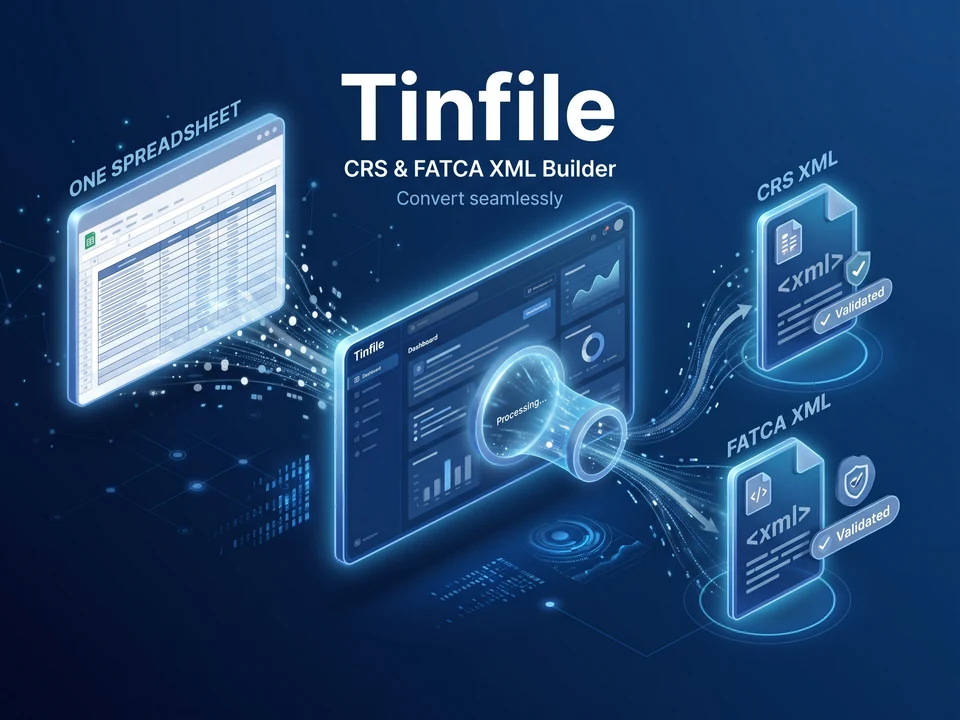
For a trust company or fund administrator, choosing between Tinfile and TRSuite starts with the work your team needs to complete. Tinfile reads one Excel workbook and builds CRS XML v3.0 and FATCA XML v2.0.1 in your browser. TRSuite is an installed reporting application with separate modules for FATCA, CRS and CARF, and country modules for jurisdictions with their own formats. Both are worth considering if you are replacing a spreadsheet-to-XML process.
Atesen Software makes Tinfile, so this comparison comes from one of the two vendors. Tinfile's limits are stated next to its strengths. TRSuite facts below come from TRSuite's own pages, which we re-opened and checked on 29 October 2026.
Compare the scope before the price
| Buying question | Tinfile | TRSuite |
|---|---|---|
| How do we start? | Open the web app, load an Excel workbook (a blank template and a fictional sample are on the Tinfile site) | Download an installer; Excel templates are offered on the same downloads page |
| CRS output | OECD CRS XML v3.0 | CRS XML in OECD schema versions 2.0 and 3.0 |
| FATCA output | IRS FATCA XML v2.0.1 | FATCA is a separate module of the same application |
| Other regimes | CRS and FATCA only | Its pages also list CARF, among other modules |
| Country-specific formats | Standard OECD and IRS formats only | Country modules for jurisdictions that define their own schema or upload channel |
| Licence model | One payment per 12 months, with an institution allowance by plan | Perpetual licence per module, counted by named user |
TRSuite's CRS page describes per-jurisdiction validation, with a rule set for each of 40 jurisdictions that have their own rules. Its downloads page offers the installers and Excel templates. If your tax authority requires a domestic format, compare that requirement with Tinfile's standard-schema output before you buy either product.
What Tinfile does with your workbook
Tinfile reads account-holder names, addresses, TINs, dates of birth and balances in your browser tab, and runs the XSD check there too. The workbook is not uploaded to Tinfile's server, and the files you download are created in your browser. Tinfile uses no analytics or tracking scripts. Payments go through Paddle, the merchant of record.
There is one exchange with Tinfile's server when you download files built from your own data. To count institutions against your plan, the app sends your licence key and a one-way SHA-256 fingerprint of the filer's country and identifier (IN, GIIN or name). Account-holder data is not part of that request. Downloads built from the fictional sample skip this step.
The workbook has three sheets: Filer, Accounts and ControllingPersons. Each check names the sheet, row and field it refers to. Errors block the files until you fix them; warnings stay for your review. On-screen checks, the schema result and the fictional sample are free. A licence unlocks the XML files and the review workbook built from your own data.
This browser workflow may suit a team that keeps its reporting data in Excel. It does not show that Tinfile is more secure than TRSuite; assess each product against your own firm's data-handling policy.
Schema validation has a defined boundary
Tinfile checks the CRS file against the OECD CRS XML v3.0 schema and the FATCA file against the IRS FATCA XML v2.0.1 schema. Passing that check shows the file is structurally valid against those schemas. Your tax authority may apply further rules, and your team remains responsible for the data and the filing.
Know these limits before you rely on Tinfile:
- Tinfile does not decide which accounts are reportable. Your due diligence does.
- Tinfile does not submit anything. You upload the XML to your authority's portal.
- Tinfile builds CRS corrections and deletions, but FATCA corrections are not supported yet. Corrections and deletions need the DocRefId of the record being replaced, plus the previous ReportingFI DocRefId for the filer, and new records and corrections go in separate workbooks.
- Tinfile has no authority-specific formats. If your authority adds its own rules, read its XML guidance next to Tinfile's checks.
The review workbook, which comes with a licence, includes a DocRefId register holding the IDs you need for later corrections. Test your own correction scenario before you depend on it.
Compare licensing on equivalent terms
Tinfile's plans, as listed on its pricing section:
| Plan | Price (US$) | Reporting institutions |
|---|---|---|
| Entity | US$790 per year | 1 |
| Group | US$1,490 per year | Up to 10 |
| Administrator | US$2,900 per year | Up to 100 |
One payment covers 12 months of CRS and FATCA files, corrections and resubmissions. There is no automatic renewal. Paddle shows any VAT or sales tax at checkout. An institution counts once per licence term, however many files you build for it, as set out in the terms. Tinfile offers a full refund within 14 days under its refund policy.
TRSuite's pricing table, as listed on 29 October 2026, shows a minimum licence of US$1,269 per module, valid from 1 January 2026 and excluding VAT, with a minimum of three named users per module. Licences are perpetual and counted by user, and one year of premium support and maintenance is included with a new licence. The page states that annual renewal costs 40% of the full regional price of a new licence at the time of renewal, and that reporting financial institutions, GIINs and jurisdictions are unlimited. For other user counts or several modules, use TRSuite's calculator or ask for a quote.
The two models differ. TRSuite licenses modules and named users and does not cap institutions; Tinfile licenses a yearly term with an institution allowance. Compare the modules, users, institutions, maintenance and local requirements you actually need, not the entry prices alone.
Choose after a representative trial
Start with Tinfile's fictional sample, then test a representative workbook under your firm's data-handling policy. Reconcile identifiers and payments against your source records, and include a correction case if your cycle needs one. Confirm that your authority accepts the format you plan to use.
Choose Tinfile for further evaluation when browser-based workbook processing and a yearly institution-based licence fit your needs. Shortlist TRSuite when its country modules, CARF or other regimes, or a perpetual licence are central to your process.
Questions
Does Tinfile upload my workbook?
No. The workbook is processed in your browser and is not uploaded to Tinfile's server. When you download files built from your own data, the app sends your licence key and a one-way SHA-256 fingerprint of the filer's identifier to count institutions against your plan. Account-holder data is not part of that request.
Does Tinfile support corrections?
CRS corrections and deletions are supported: you mark the row as Correct or Delete and paste the DocRefId of the original record. FATCA corrections are not supported yet, so file those through your portal.
Will a file that passes Tinfile's check be accepted by my tax authority?
Not necessarily. The check confirms the file is valid against the OECD CRS v3.0 or IRS FATCA v2.0.1 schema. Your authority can apply additional rules, and you remain responsible for the data and the filing.
Is TRSuite cheaper or more expensive than Tinfile?
It depends on your structure. The two use different licence models, so check current pricing for the modules, users and institutions you need and compare totals, not entry prices.
Try Tinfile free
Open Tinfile's free sample to see the checks on a fictional trust company, or see Tinfile's plans when you are ready to buy.
Open the free sample See plans and buy
Use code FOUNDING40 at checkout for 40% off your first payment until 30 Nov 2026.
Related guides: TRSuite alternatives for trust companies and funds · Firelift vs 1099 Pro: FIRE File to IRIS Compared · Dorafile vs Copla Registry for your DORA register. All guides.
More about the product: Tinfile on Atesen Software.
Published by Atesen Software, which makes Tinfile. TRSuite is a trademark of its owner; this page is not affiliated with, sponsored or endorsed by TRSuite.