Firelift versus 1099 Pro
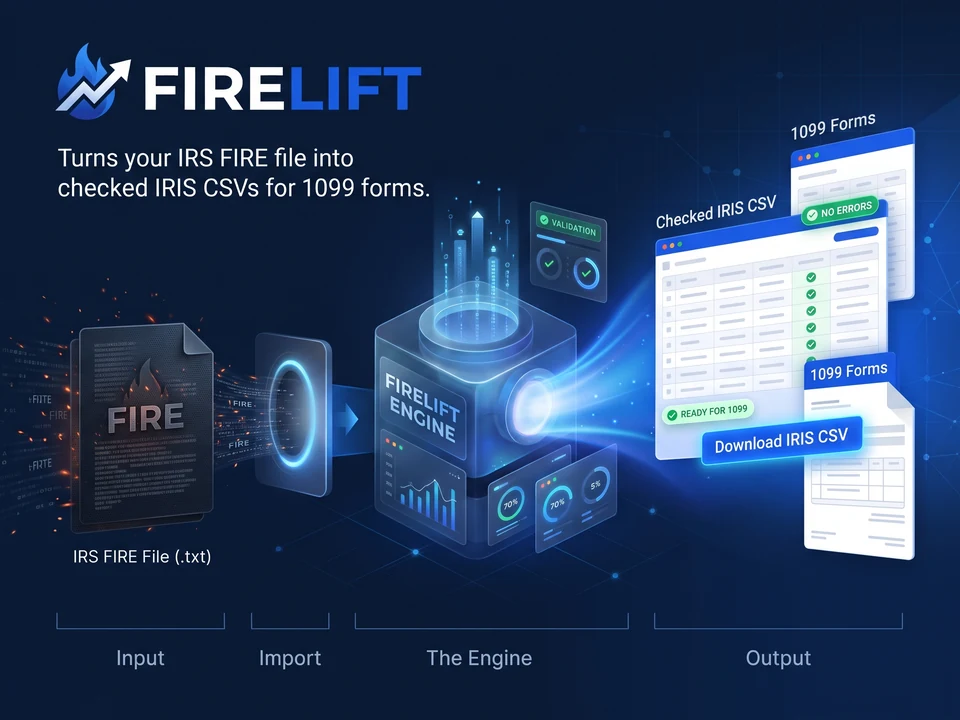
If your credit union's core system already produces a Publication 1220 FIRE file, the next decision is how your accounting team will prepare that data and submit it through the IRS IRIS system.
Atesen Software, the publisher of this guide, makes Firelift, so read the comparison with that in mind. Firelift converts an existing Publication 1220 FIRE file into CSV files that you upload to your own IRIS Taxpayer Portal account. It suits teams that want to prepare files in the browser and handle the upload themselves.
1099 Pro Enterprise takes a different route. 1099 Pro's own page says that, starting with tax year 2026, federal e-filing goes through the Sovos Service Bureau, and that you do not need to apply for your own IRIS TCC (1099 Pro Enterprise overview, checked on 29 October 2026).
This comparison covers original 1099-INT, 1099-DIV, 1099-NEC and 1099-MISC returns, the four forms Firelift version 1 converts.
Choose according to who submits your returns
| Your requirement | Firelift | 1099 Pro Enterprise (per 1099 Pro, checked on 29 October 2026) |
|---|---|---|
| Federal submission workflow | You upload the prepared CSV files to your IRIS Taxpayer Portal account | The Sovos Service Bureau transmits to the IRS |
| IRIS TCC | You need your own IRIS Taxpayer Portal TCC | 1099 Pro says you do not need to apply for your own |
| Product scope | Converts and checks FIRE or IRIS-layout input, splits it into upload files and writes a review workbook | Desktop software that prints recipient copies, plus optional services with an additional fee |
| Pricing | From $790 for 12 months (see below) | check current pricing |
1099 Pro lists print-and-mail and eDelivery of recipient copies, bulk TIN matching and corrections processing as services with an additional fee (1099 Pro Enterprise overview, checked on 29 October 2026). These may matter more than local conversion if you want a provider to handle several filing tasks. Firelift does not print or mail recipient copies, does not match names to TINs and does not file with the IRS.
What Firelift does with your existing export
Drop your Publication 1220 file into Firelift and read the check results. CSV and XLSX files also work when they already use the IRIS template layout. An arbitrary spreadsheet needs preparation first; Firelift reports that it is not a recognised input.
Firelift cleans names and addresses to IRIS rules, checks field formats and lists what it could not fix safely. For FIRE files it also compares the control totals in each issuer's C record with the sum of that issuer's payee amounts, amount code by amount code. Every automatic change appears with its before and after value, so a reviewer can see what changed.
The output is numbered CSV files of at most 250 records each, one form type and one tax year per file, plus a review workbook. In the default Issuer role each file holds one issuer. If your IRIS TCC role is Transmitter, a file may hold several issuers. Records with errors stay out of the CSV files and are listed in the issues; fix the source data and run the check again.
You then upload each CSV yourself. Budget staff time for that step, especially when one file produces many batches. The IRS's September 2025 IRIS working group slides say a portal CSV upload takes one form type at a time and can hold a maximum of 250 records (IRS IRIS working group slides, 10 September 2025, checked on 29 October 2026). The same slides say the Taxpayer Portal has no test site and accepts production data only, so review the Firelift output before you upload.
Where recipient data goes
Firelift reads and converts files in your browser. The file is not uploaded to Atesen Software or anyone else during conversion. Our server sees normal page requests and, when you buy, the Paddle transaction ID and the email address used to issue your license key (Firelift privacy policy). Your team later uploads the prepared returns to the IRS through the portal.
You can test this before buying. Load the app, wait for it to finish loading, disconnect your network and run a check on your own file. The check still works. If your internal assessment needs evidence, watch your browser's Network panel while you do it.
Local processing can suit a credit union that wants to limit additional transfers of recipient information, but you still need to handle the downloaded files carefully. The filing CSVs contain full recipient TINs, because the portal needs them. The review workbook masks its TIN column to the last four digits, yet it still lists names and amounts, and an issue message can quote a value that failed a check, such as an invalid TIN. Treat both downloads as sensitive.
Compare the full cost of your workflow
Firelift's licenses cover 12 months from purchase and are one-time payments that do not renew automatically. Each allows unlimited forms and files within its issuer allowance.
| License | Issuer allowance | Price in USD |
|---|---|---|
| Issuer | One issuer TIN | $790 |
| Firm | Up to 25 issuer TINs | $1,490 |
| Bureau | Unlimited issuer TINs | $2,900 |
These are the prices on the Firelift pricing page as of 29 October 2026. Paddle adds sales tax or VAT where it applies. Checking your own file is free. A license is needed to download the CSV files and review workbook built from your own data; the files built from the made-up sample are free.
For 1099 Pro, check current pricing for the software and for any service-bureau services your team needs. Include your staff's review and upload time in the comparison. A software license and a managed filing service cover different responsibilities, so a headline price will not settle the choice.
Confirm these limits before switching
Firelift version 1 converts original 1099-NEC, 1099-MISC, 1099-INT and 1099-DIV returns for tax years 2022 and later. Corrected FIRE records are listed in the issues and left out; corrections are filed in the IRIS Taxpayer Portal. Other forms in your file are listed as not converted.
Firelift checks format and IRIS rules. It does not do IRS name/TIN matching and cannot promise that the IRS will accept a file. Your team remains responsible for reviewing the records and confirming the filing result. Read the Firelift terms alongside the check report.
You need your own IRIS TCC to use the portal. The IRS describes the portal as a free, web-based filing system with manual entry or CSV upload (IRS: e-file information returns with IRIS, checked on 29 October 2026).
Firelift currently uses the TY2025 IRIS template layout. Updates for the TY2026 templates are included in your license term once the IRS publishes them. Without a portal template, Firelift uses the column names from the IRS formatting guidelines. If the portal reports that the headings do not match, drop the blank template you downloaded from the portal into Firelift and download again; Firelift then copies the template's header row exactly. Review any unfamiliar-column warnings before you upload.
Frequently asked questions
Questions
Does Firelift file my returns with the IRS?
No. Firelift prepares the CSV files and you upload them to your own IRIS Taxpayer Portal account. Firelift does not transmit anything to the IRS.
Is my FIRE file uploaded to Atesen Software?
No. The file is read and converted by JavaScript in your browser tab. During a purchase our server receives the Paddle transaction ID and the buyer's email address so that it can issue the license key. You can test the offline behavior yourself by disconnecting your network after the app has loaded.
Which forms and tax years does Firelift convert?
Version 1 converts 1099-NEC, 1099-MISC, 1099-INT and 1099-DIV for tax years 2022 and later. Other forms are listed as not converted, and corrected records are left out and listed in the issues.
Can I try Firelift before paying?
Yes. The check on your own file is free and shows every record and issue, and a sample on made-up data is available. If you buy and it does not work for your files, you can ask for a full refund within 14 days (Firelift refund policy).
Check your own FIRE file before buying
Firelift is worth testing when your export holds original returns for its four supported forms and your team is happy to upload through your own portal account. Start with a real export and review the issues, the control totals and the number of CSV files you would upload.
Check your FIRE file free with Firelift, see a sample result on made-up data, or view Firelift pricing.
Check your FIRE file free See plans and buy
Use code FOUNDING40 at checkout for 40% off your first payment until 30 Nov 2026.
Related guides: Alternatives to 1099 Pro, Including Firelift · Tinfile vs TRSuite: CRS and FATCA XML compared · Journalscope vs Caseware IDEA for journal testing. All guides.
Published by Atesen Software, which makes Firelift. 1099 Pro and Sovos are trademarks of their owners; this page is not affiliated with, sponsored or endorsed by 1099 Pro, Sovos or the IRS.