Prepare WooCommerce sales by state for a packaging EPR audit
Use one row per WooCommerce order line, then sum its quantity by product SKU and shipping state. The result is a three-column CSV you can check against your packaging component file.
Start with order lines and the shipping address
- Choose your reporting period and eligible orders. Use the order ID and line-item ID to spot duplicate export rows before you sum quantities.
- Keep the product or variation SKU, quantity, ship-to country and ship-to state. The WooCommerce order line fields include SKU and quantity. The order shipping fields include state and country.
- For a US-state file, keep US shipping destinations and use two-letter state codes. Put blank shipping states or missing SKUs on a separate list to check. Keep SKUs as text so a value such as
0042retains its zeros. - In a pivot table, use SKU and state as rows and Sum of quantity as the value. Check canceled orders, partial refunds and returns against your chosen reporting rules before treating the total as the final sales figure.
A small worked example
Two California order lines for SKU 0042 have quantities 2 and 3. A Colorado line has quantity 4. The California total is 5 units, and Colorado stays separate at 4.
sku,state,units_sold
0042,CA,5
0042,CO,4
Check that the summed output equals the quantity of the lines you retained. Remove order IDs, names and street addresses from the audit CSV. Keep the original export separately for reconciliation.
Check the sales file against packaging data
Keep a separate component file with one row per SKU and packaging component, including material, weight and unit. Use consistent SKU codes in both files. A carton shared by several items needs a documented allocation. Adding the full carton weight to each item would count it several times.
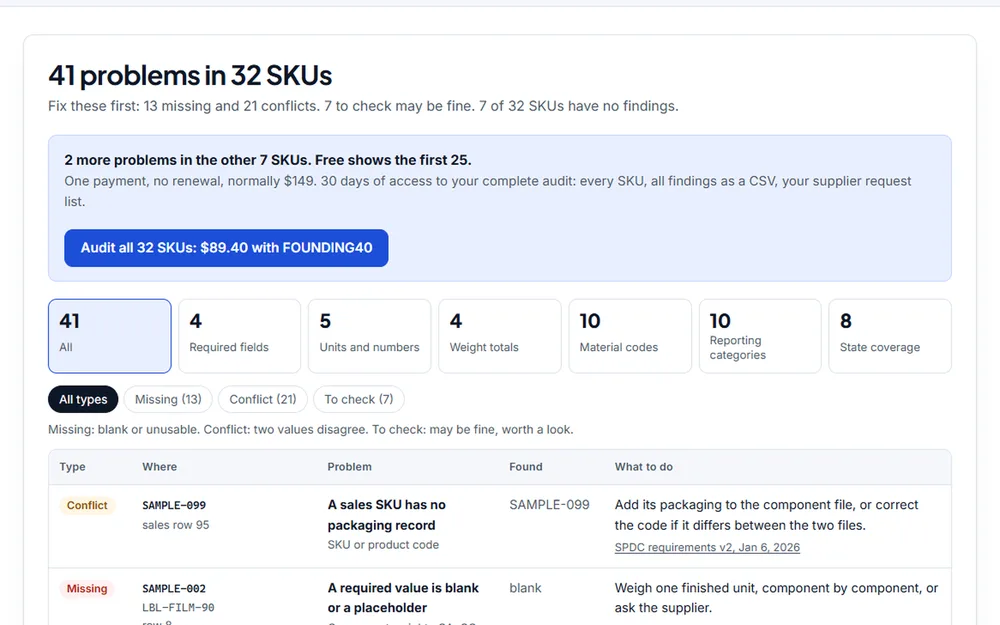
In PackGap, open the component CSV and select Add a sales file to include state coverage checks. The preview shows details for the first 25 SKUs and requires no sign-up. Use the component and sales field guide if you need the blank templates.