Connects to Xero
The customer paid, but Xero still shows the invoice as awaiting payment
An invoice in Xero only leaves Awaiting Payment when a payment is recorded against that invoice. Money arriving in the bank is not enough on its own. Usually the bank line was never matched to the invoice, or it was reconciled as a separate Receive Money transaction. Sometimes one lump payment covered many invoices and nobody split it. Find the cause in the table below. To record a whole remittance or spreadsheet of payments at once, Paysweep does it from the file.
Check your payment list free The five causes
Paysweep is a Xero app by Atesen Software, the publisher of this guide. Connecting, uploading and the preview change nothing, and the first 3 payments are free.
What you see, why, and what to do
| What you see | Likely cause | Fix in Xero | When the fix runs out |
|---|---|---|---|
| The deposit is still on the Reconcile tab | The bank line has not been reconciled yet | Find & Match on that line, tick the invoice | Hundreds of lines a month |
| The deposit is reconciled, the invoice is still open | It was reconciled with Create as Receive Money, not matched to the invoice | Unreconcile and remove that transaction, then Find & Match the line to the invoice | The same mistake across a whole quarter |
| One deposit, many open invoices | A customer or a platform paid several invoices in one payment | Find & Match, tick every invoice the payment covers | A remittance listing dozens of invoices |
| No deposit in the bank feed at all | Paid by cash, cheque, card terminal or a platform that pays out elsewhere | Open the invoice and record the payment by hand | Payments kept in a spreadsheet for months |
| A smaller amount is still due | A part payment: the invoice stays Awaiting Payment for the rest | Record the remaining payment, or credit the difference | Many part payments with different dates |
Check it in Xero
- Open the invoice and look at the bottom. If there is no payment line, nothing has been recorded against it.
- Search the bank account for the amount. If the line is still on the Reconcile tab, use Find & Match on it and tick the invoice, or several invoices for one deposit.
- If the line is already reconciled as a Receive Money transaction, that money sits in an income or other account, not on the invoice. Unreconcile it, remove the transaction, and match the line to the invoice instead.
- If the money never came through the bank feed, record the payment on the invoice with the real payment date and the account it was paid into.
What it looks like in Paysweep
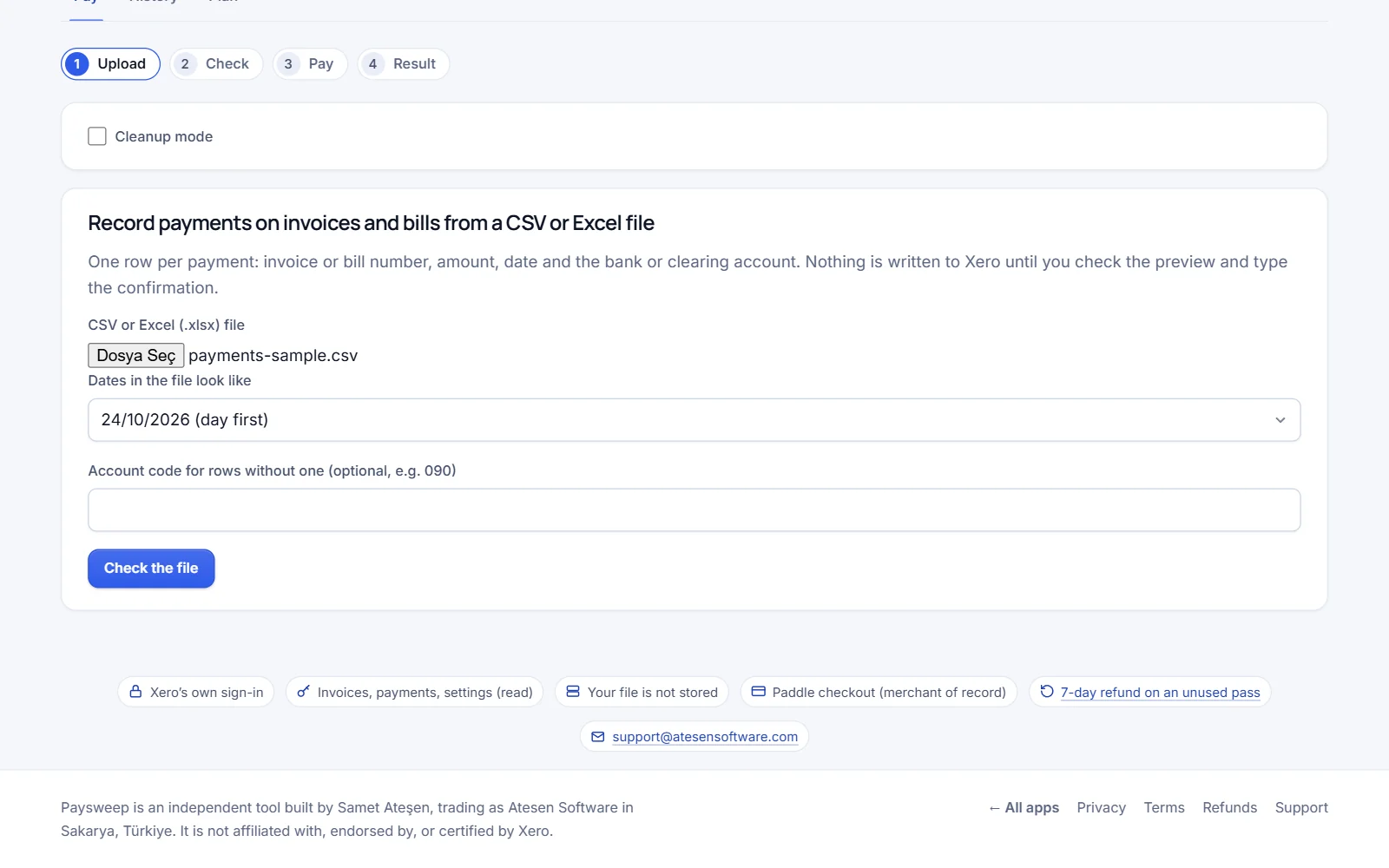
Paysweep records payments on invoices. It does not match or reconcile bank statement lines. For one clean deposit that pays a few invoices, Find & Match in Xero is the right tool and costs nothing.
A remittance or a spreadsheet of payments: Paysweep
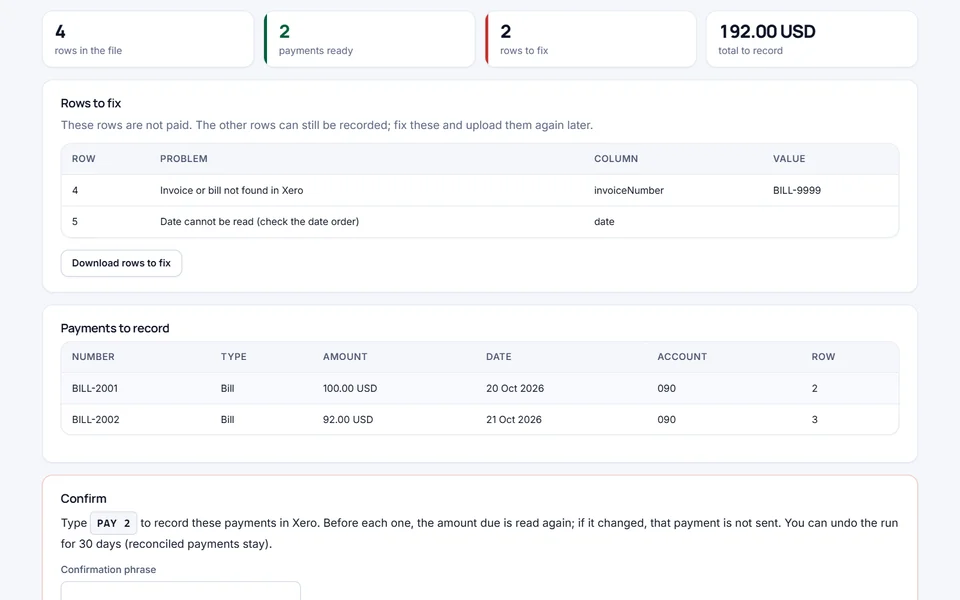
Paysweep reads a CSV or Excel list, or a text remittance PDF, with one row per payment: the invoice or bill number, the payment date and the bank account code. A blank amount pays what is due; a part amount pays part. Before anything is written, every row is checked against your organisation:
- the number matches exactly one approved invoice or bill with something still due;
- the payments for one invoice in the file add up to no more than is due;
- the account is active and accepts payments, and its currency fits the invoice;
- the date is after your lock date.
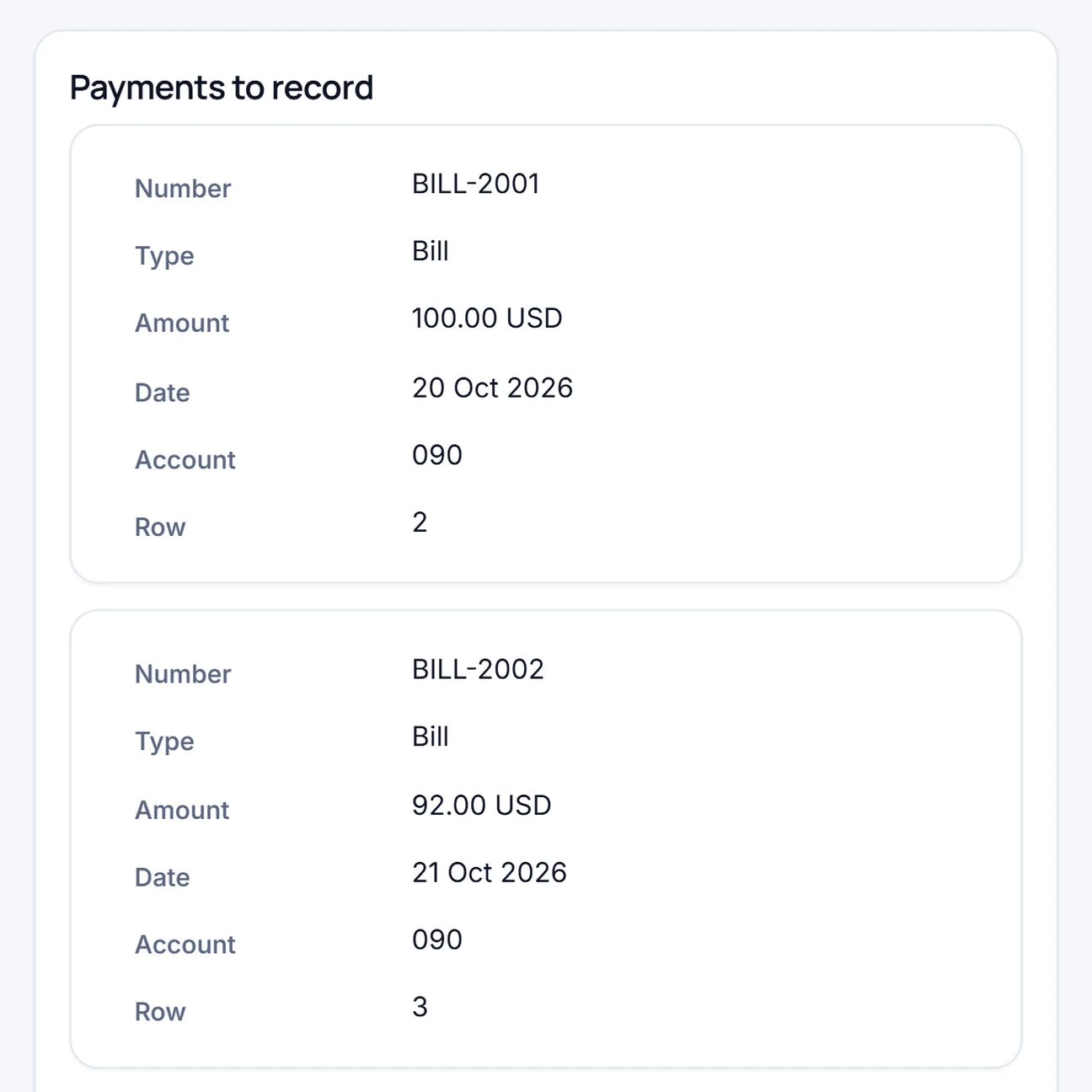
Rows with a problem are listed with their row number and never sent. You type PAY and the number of payments to record the rest, and you can undo a run for 30 days.
- Free: connect, upload, unlimited previews and the first 3 payments in each organisation.
- Pass: $39 once for 7 days and up to 300 payments, per organisation, excluding tax. With code FOUNDING40 until 30 November 2026 it is $23.40.
- Monthly: $19 per organisation for unlimited payments, excluding tax; $11.40 for the first month with FOUNDING40.
- Refund: a purchase can be fully refunded within 14 days if no payment has been recorded with it (refund policy).
Connect Xero and check your file free See the pass ($23.40 with FOUNDING40)
Prices from Paysweep pricing, checked 16 November 2026.
Questions people ask
Why does Xero still show an invoice as awaiting payment after it was paid?
Because no payment has been recorded against that invoice. The money may be on the Reconcile tab waiting to be matched, or reconciled as a separate Receive Money transaction, or it never came through the bank feed. Match the bank line to the invoice, or record the payment on the invoice.
I reconciled the payment but the invoice is still unpaid. Why?
The bank line was most likely reconciled with Create as a Receive Money transaction instead of being matched to the invoice. Unreconcile it, remove that transaction and match the line to the invoice with Find & Match.
How do I mark many invoices as paid in Xero at once?
For invoices you tick on screen, use a batch deposit (up to 50 sales invoices, one date, base currency) or a batch payment for bills. For a spreadsheet or remittance with its own dates and amounts, Paysweep records one payment per row after a preview. See bulk pay invoices from a spreadsheet.
How do I match one bank payment to several invoices?
On the bank account's Reconcile tab, click Find & Match on the statement line and tick every invoice the payment covers. Xero reconciles the one line against all of them.
Does Paysweep reconcile my bank feed?
No. It records payments on existing approved invoices and bills, the same as entering them one by one. You still reconcile the bank lines in Xero.
More Xero help: bulk pay invoices from a spreadsheet, Paysweep vs SaasAnt Transactions, when Xero won't let you void or edit an invoice, done-for-you clean-up.
Atesen Software is independent and not affiliated with Xero. Xero is a trademark of Xero Limited, and this page is not endorsed by Xero. Menus and options can change.
Questions about this guide: support@atesensoftware.com.