Connects to Xero
Update prices on all Xero repeating invoices at once
Repeatwise updates prices on many Xero repeating invoices at once: choose a rule, see the old and new price on every line, then confirm. The first 5 templates are free, then $39 for a 14-day pass (up to 250 templates) or $59 a month. Xero itself edits repeating invoice templates one at a time, in the Repeating tab.
Scan your templates free Xero's own way
Repeatwise is a web app by Atesen Software, the publisher of this guide. The scan and the preview change nothing in Xero.
What Xero does on its own
- One template at a time. Xero Central's repeating invoice article describes editing a template in the Repeating tab, and no bulk edit. Xero says changes to an existing template apply to all later invoices.
- Item prices do not flow through. The same article warns that if you update an inventory item's selling price, the updated price won't flow through to new repeating invoices.
- Not on the roadmap. On Xero Product Ideas, a Xero community manager said in February 2026 that the product team is beginning to explore repeating invoices, and in July 2026 that bulk import and export are not currently roadmapped.
For a handful of templates, editing each one in Xero is free and the right tool.
What Repeatwise does
- A rule for the batch. A percentage, a fixed amount, a flat price, a price list or a CSV, with filters and rounding.
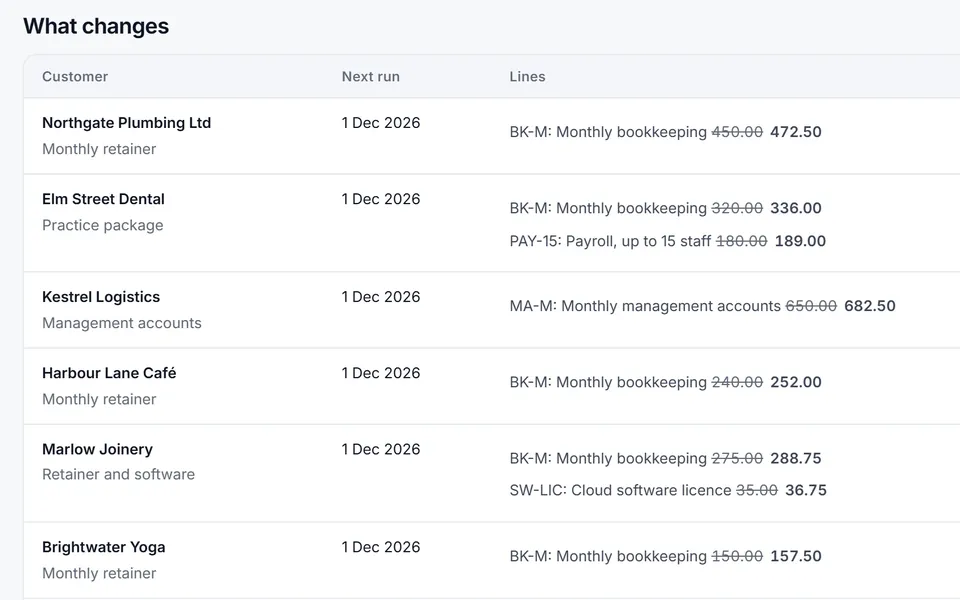
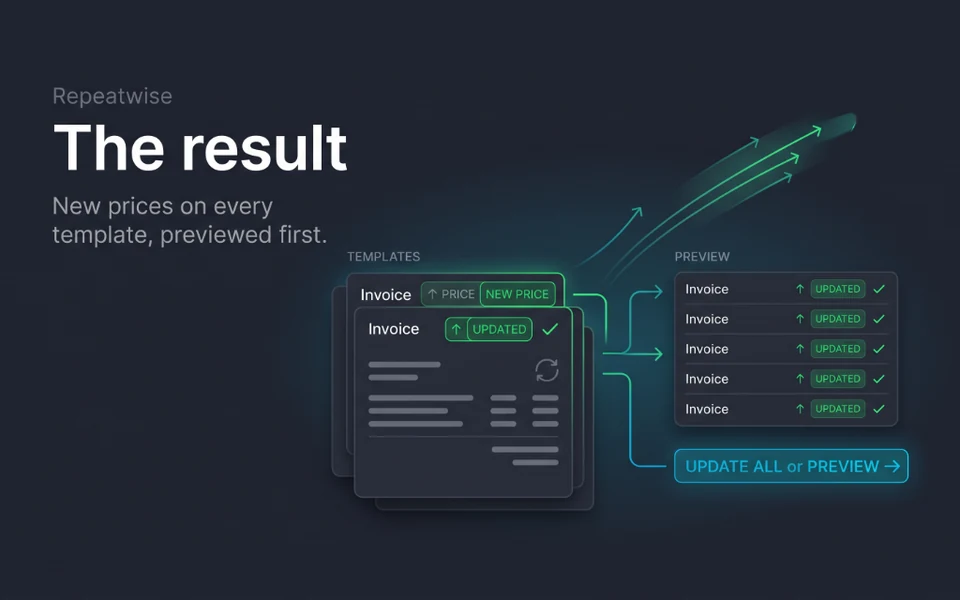
- A preview of every line. Old and new prices, totals, and a reason for every template it skips. The scan and the preview write nothing.
- Replace, verify, then delete. Xero's API cannot edit a repeating invoice in place, so Repeatwise saves the original, creates a replacement that starts on the original's next run date, checks it field by field, then deletes the original.
- A way back. A report CSV, a backup you can download for 30 days, and undo for 30 days.
Limits. The replacement gets a new Xero ID, and the old template's history notes do not carry over. Repeating bills, templates with attachments, templates due to run today or tomorrow (UTC) and ended series are skipped and listed. The Online Payments setting is not copied, so turn it on again in Xero, also after an undo.
How to raise prices on many Xero repeating invoices with Repeatwise
- Connect the organisation. Sign in on Xero's own page. Repeatwise scans every repeating invoice for free.
- Choose the rule. For example 5% on every line, a flat price, a price list or a CSV of new prices. Add filters and set the rounding.
- Read the preview. Check the old and new price of every line and the reason for every skipped template. Download the preview CSV if you want to share it first.
- Confirm the batch. Repeatwise saves each original, creates and checks the replacement, then deletes the original.
- Turn Online Payments back on where you use it, and keep the report CSV. Undo is available for 30 days.
Price. The scan, the preview, the CSV and the first 5 templates changed in each organisation are free. Then $39 per organisation for a 14-day pass (up to 250 templates), $59 a month or $590 a year with no template limit, before tax (pricing page).
Questions people ask
How do I update prices on all Xero repeating invoices at once?
Xero edits templates one at a time. Repeatwise applies a price rule to many templates after a free line-by-line preview, with undo for 30 days. The first 5 templates are free, then $39 for a 14-day pass or $59 a month.
Does changing an item price in Xero update my repeating invoices?
Xero Central warns that an updated selling price won't flow through to new repeating invoices, so each template keeps the price on its lines until you change it.
Can I export, edit and import repeating invoices in Xero?
Xero has no import or export for repeating invoice templates, and said in July 2026 that it is not currently roadmapped. A workaround in Xero's community exports generated invoices, edits the CSV and creates new templates, then deletes the old ones to avoid billing twice.
Will my customers notice anything?
The replacement template starts on the original's next run date, so the next invoice is created on the usual day, at the new price. Turn the Online Payments setting back on where you use it.
Can a price change be undone?
Within 30 days, yes: Repeatwise offers undo for 30 days, keeps the originals encrypted and gives you a backup file to download. Undo also leaves Online Payments off, so turn it on again in Xero.
Sources: Repeatwise pricing, read on 26 November 2026, and its guide update all repeating invoices at once in Xero, which quotes Xero Central and Xero Product Ideas as checked on 23 October 2026.
More: Repeatwise in our catalogue.
Atesen Software is independent. Xero is a trademark of Xero Limited, and this page is not affiliated with or endorsed by Xero. Menus and options can change.
Questions about this guide: support@atesensoftware.com.