Connects to Xero
Import supplier payments from a CSV into Xero: mark many bills paid
Paysweep imports supplier payments you have already made into Xero from a CSV or Excel file: one row per payment, each with its own date, amount and bank account, matched to the approved bill and checked before anything is recorded. The first 3 payments are free, then $39 for a 7-day pass (up to 300 payments) or $19 a month. Xero's own Batch Payment marks the bills you tick on screen, with one payment date for the whole batch.
Check your file free with Xero Where Batch Payment stops
Paysweep is a web app by Atesen Software, the publisher of this guide. It records payments in Xero. It does not move money or send bank payments.
Two different jobs: paying suppliers and recording payments
Still to pay the suppliers? Use Xero's Batch Payment, which in some regions can also create a payment file for your bank, or a payables app that sends the money. Those tools start before the money leaves.
Already paid them from online banking, a payment run in another system or a card, and now 200 bills still show Awaiting Payment in Xero? That is a recording job. The payments exist in a spreadsheet or a bank export, and each bill needs a payment with the right date and account. Paysweep is built for that job.
Where Xero's Batch Payment stops and Paysweep starts
Xero's steps (Xero Central, Pay multiple bills): in the Purchases menu select Bills, open the Awaiting payment tab, tick the bills, click Batch payment, enter the payment date and the bank account, then click Make Payment.
| Xero Batch Payment | Paysweep | |
|---|---|---|
| Starts from | Bills you tick on the Awaiting payment tab | Your CSV or Excel file, one row per payment |
| Payment dates | One date for the whole batch | A date on every row |
| Bank account | One per batch | A code on every row, or one default for the file |
| Matching | You match your list to the screen by eye | Each row must match exactly one approved bill or invoice with an amount due |
| Foreign currency | Not available, Xero Central says | Checked per row: the account currency must fit the bill |
| Undo | No undo button: remove the payments yourself | One button for 30 days, except reconciled or batch payments |
| Moves money | It records the payment. A bank payment file is an option in some regions | Never. It records payments only |
| Price | Included in Xero | First 3 payments free, then $39 pass or $19 a month |
For a short list of bills paid on one day in your base currency, Batch Payment costs nothing and is the right tool.
How to mark many bills paid in Xero from a CSV with Paysweep
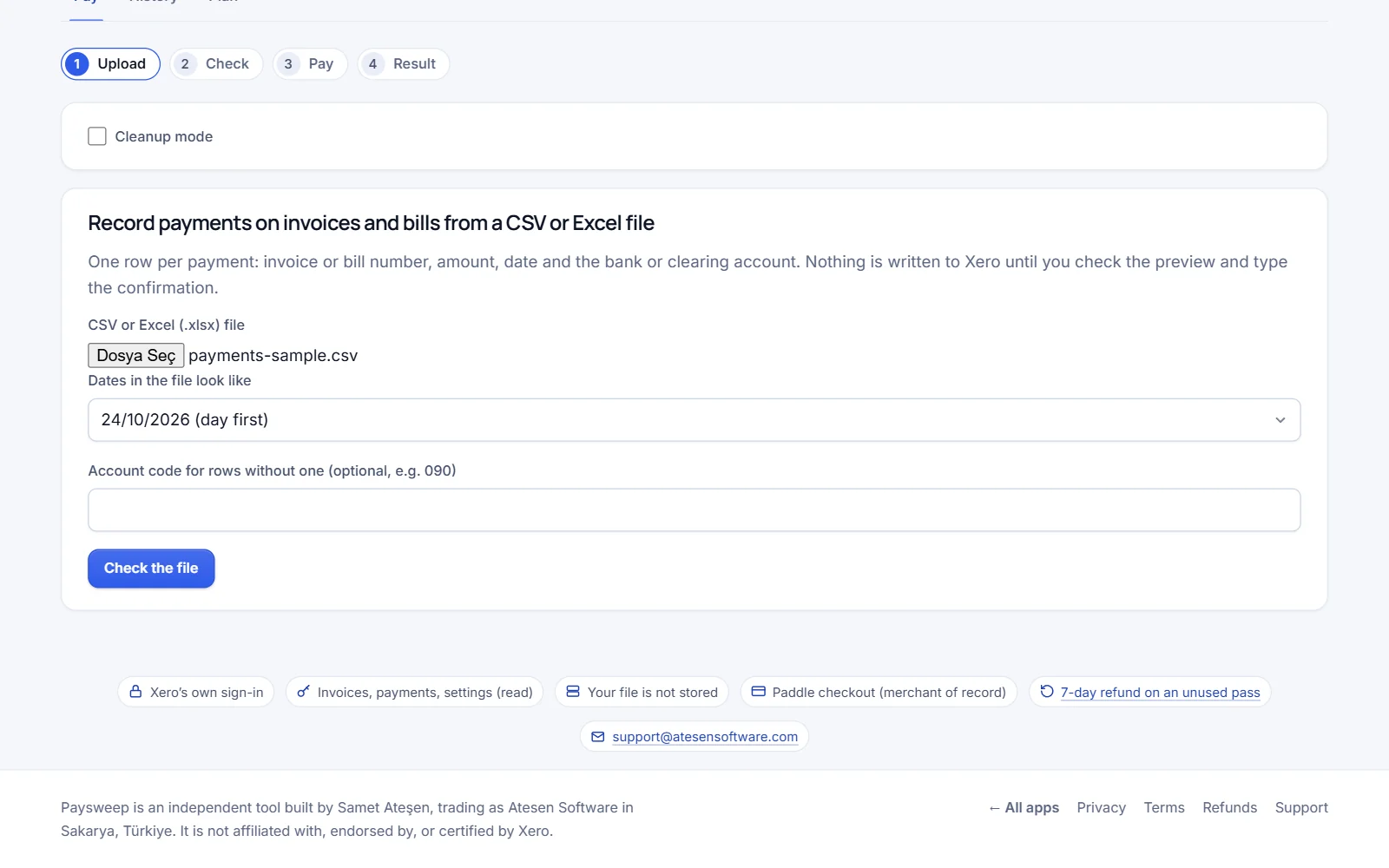
- Prepare the file. One row per payment: the bill number (or its Xero InvoiceID), the payment date and the bank account code. Leave the amount blank to pay a bill in full, or enter a part amount.
- Connect Xero and upload. CSV or Excel (.xlsx, first sheet). Headers are matched automatically and you can change the mapping. Uploading changes nothing in Xero.
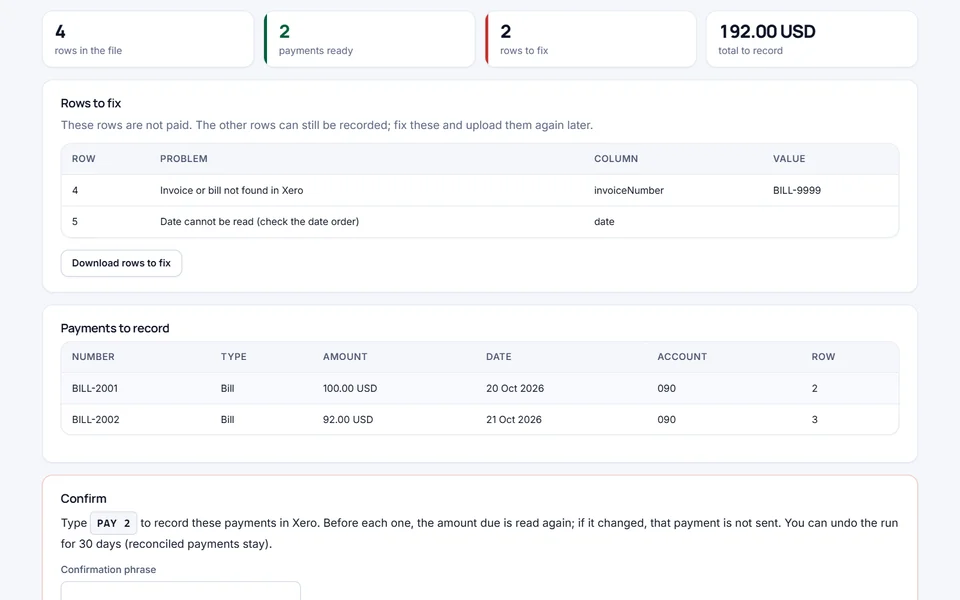
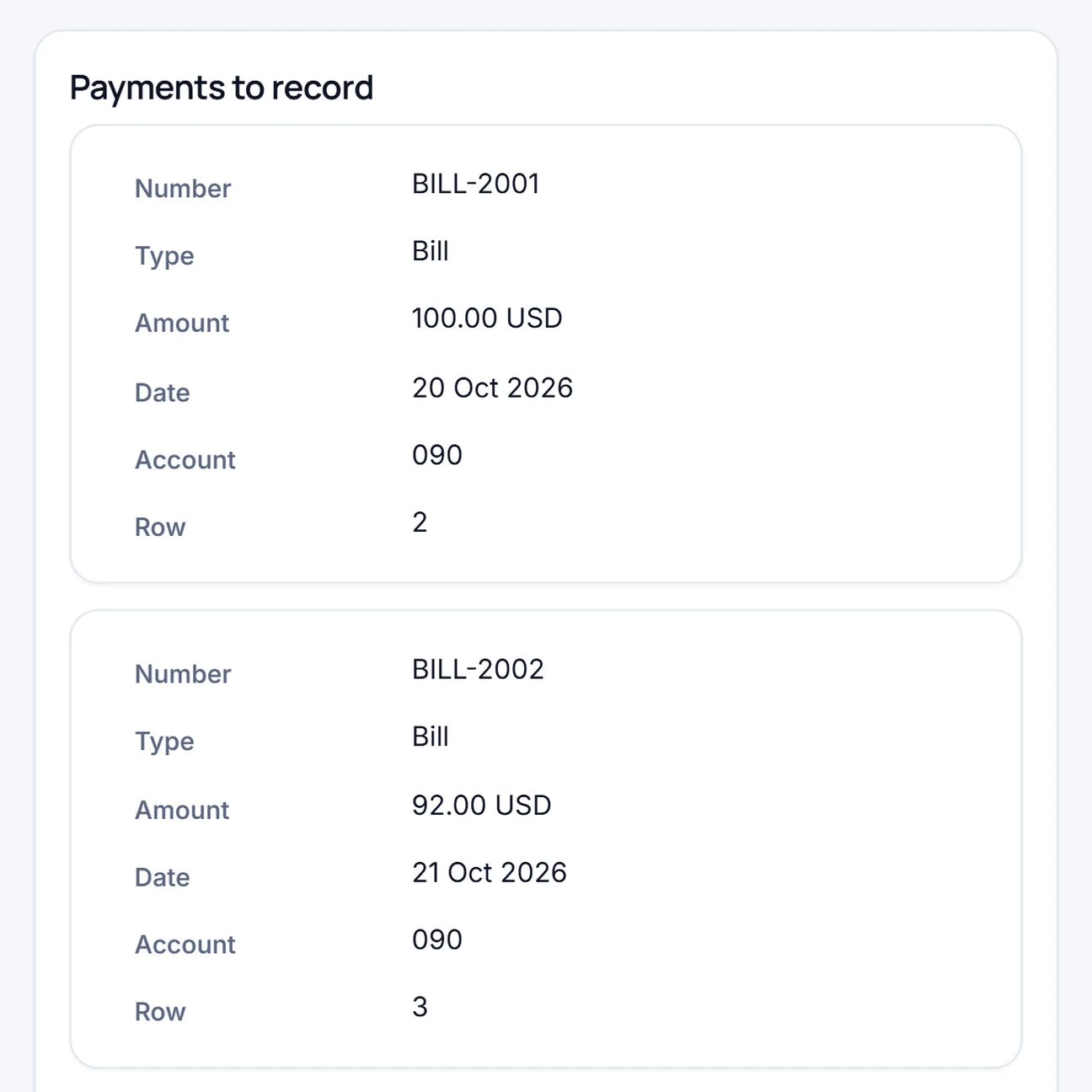
- Read the preview. Every row is checked against your organisation: the bill must be approved with something due, the account active and able to take payments, the currency right and the date after your lock date. Rows with a problem are listed with their row number and can be downloaded as a CSV.
- Type PAY and the number of payments. Paysweep records one payment per row and gives you a result CSV with a link to each bill in Xero.
- Reconcile as usual. Match the payments to the bank statement lines in Xero's reconciliation, the same as payments entered by hand.
What it looks like in Paysweep
Price. Connecting, uploading and previews are free, and so are the first 3 payments in each organisation. Then $39 once for a 7-day pass (up to 300 payments), $199 once for a 30-day clean-up pass (up to 5,000 payments), or $19 a month with no payment limit, per organisation, excluding tax (pricing page). FOUNDING40 makes the 7-day pass $23.40 and the first month $11.40 until 30 November 2026.
Limits. Paysweep records payments on existing approved bills and invoices. It does not create bills or contacts and does not reconcile bank lines. A file holds up to 5,000 rows and a run up to 2,500 payments.
Questions people ask
How do I mark many bills as paid in Xero from a CSV?
Xero's Batch Payment works from bills you tick, with one date per batch. To use a file, Paysweep reads a CSV or Excel file with the bill number, payment date and account code on each row, checks every row, and records one payment per row after you confirm. The first 3 payments are free, then $39 for a 7-day pass or $19 a month.
Can I import supplier payments into Xero?
Xero describes no payment import from a file for bills; its bulk route is Batch Payment on ticked bills. Paysweep imports them from your spreadsheet and matches each row to an approved bill.
Does Paysweep pay my suppliers?
No. It never moves money. It records in Xero the payments you have already made, so the bills show as paid. To send the money, use your bank, Xero's Batch Payment or a payables app.
Can a Xero batch payment have different payment dates?
No. A batch payment has one payment date and one bank account. Bills paid on different days need one batch per date, or a file-based tool with a date on each row.
Does it work for sales invoices too?
Yes. The same file can hold customer payments against approved sales invoices. The steps for those are in Xero bulk pay invoices from a spreadsheet.
Sources, read on 26 November 2026: Paysweep pricing and product page. Xero Central, Pay multiple bills and Create a batch deposit, read on 16 November 2026. Xero's blog on the bill payments experience describes the payment file option for UK organisations.
More: invoice paid but still awaiting payment in Xero, Paysweep vs SaasAnt Transactions and Paysweep in our catalogue.
Atesen Software is independent and not affiliated with Xero. Xero is a trademark of Xero Limited, and this page is not endorsed by Xero. Menus and options can change.
Questions about this guide: support@atesensoftware.com.